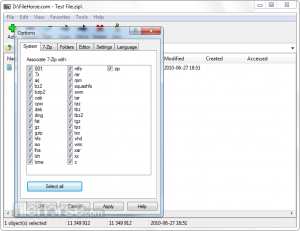
7-Zip – Free File Archiver

What is 7-Zip?
7-Zip is a free, open-source file archiver with high compression ratio that creates and extracts compressed archives in various formats including its own 7Z format which typically provides 30-70% better compression than traditional ZIP, while supporting password protection with AES-256 encryption, multi-core processor utilization, self-extracting archives, and integration with Windows shell making it the most popular free compression utility trusted by millions worldwide who need powerful archiving without WinRAR’s cost or WinZip’s subscription fees. Developed by Igor Pavlov and first released in 1999, 7-Zip has evolved into mature compression solution offering professional-grade features completely free under GNU LGPL license, supporting Windows, Linux, and macOS platforms while becoming default recommendation for users seeking reliable archive management without compromising functionality or security.
7-Zip excels through its proprietary 7Z format utilizing LZMA and LZMA2 compression algorithms that achieve exceptional compression ratios—often reducing file sizes 30-70% more than ZIP, particularly effective on large files, text documents, executable programs, and databases. The application handles archive creation with customizable compression levels, password protection using industry-standard AES-256 encryption with optional file name encryption, multi-volume archive splitting for large files, solid compression analyzing multiple files together for maximum efficiency, and command-line interface enabling scripting and automation. Whether compressing project folders for backup, extracting downloaded software, creating encrypted archives of sensitive documents, or managing installation packages, 7-Zip delivers compression power rivaling commercial software while remaining completely free and open-source.
Beyond compression, 7-Zip functions as universal archive manager supporting over 20 formats for extraction—including ZIP, RAR, TAR, GZ, BZ2, XZ, ISO, WIM, and CAB—eliminating need for multiple decompression tools. The software provides file manager with dual-pane interface for efficient file operations, benchmarking tool testing system compression/decompression performance, hash verification for checking file integrity, integration with Windows Explorer’s context menu for quick operations, and portable version running without installation. While the interface appears basic compared to WinRAR’s polish, 7-Zip’s combination of zero cost, superior compression ratios, strong encryption, open-source transparency, and comprehensive format support makes it essential Windows utility recommended by tech enthusiasts, IT professionals, and anyone needing reliable archiving without financial barriers.
Key Features
- 7Z Format: Proprietary format with exceptional compression ratios using LZMA/LZMA2 algorithms.
- Multi-Format Support: Create 7Z, ZIP, TAR, GZIP, BZIP2 archives; extract 20+ formats including RAR, ISO, WIM.
- High Compression Ratio: Typically 30-70% better compression than ZIP, especially for large files.
- AES-256 Encryption: Strong password protection with military-grade encryption for 7Z and ZIP archives.
- File Name Encryption: Encrypt file names in 7Z archives for complete privacy.
- Solid Compression: Analyze multiple files together for maximum compression efficiency.
- Multi-Core Support: Utilize multiple CPU cores for faster compression and decompression.
- Self-Extracting Archives: Create SFX (EXE) files that decompress without requiring 7-Zip installation.
- Shell Integration: Right-click Windows Explorer menu integration for convenient operations.
- File Manager: Built-in dual-pane file manager for archive browsing and file operations.
- Multi-Volume Archives: Split large archives into smaller volumes for storage or distribution.
- Command Line Tool: Powerful CLI for scripting, automation, and batch operations.
- Archive Testing: Verify archive integrity to ensure files aren’t corrupted.
- Benchmark Tool: Test system compression/decompression performance.
- Open Source: Free software under GNU LGPL with transparent, auditable code.
What’s New in 7-Zip 2024/2025
- 7-Zip 23.01+: Latest stable releases with performance and compatibility improvements.
- ARM64 Support: Native support for ARM-based Windows devices and processors.
- Improved Performance: Faster compression and decompression with better multi-threading.
- Windows 11 Optimization: Enhanced compatibility and visual consistency with Windows 11.
- Better RAR5 Extraction: Improved support for modern RAR5 format archives.
- Enhanced Security: Security patches addressing potential vulnerabilities.
- ZSTD Support: Added support for Zstandard compression format.
- Updated Codecs: Improved LZMA2 compression with better speed and ratios.
- UI Improvements: Minor interface refinements and better high-DPI display support.
- Bug Fixes: Resolved issues with specific archive formats and edge cases.
System Requirements
Windows
- Windows 10 or Windows 11 (Windows 7/8.1/Vista/XP supported)
- Any x86/x64 processor (Pentium or newer)
- 32 MB RAM minimum (1 GB+ recommended for large archives)
- 4 MB disk space for installation
- Available in 32-bit, 64-bit, and ARM64 versions
Linux
- p7zip package available for most distributions
- Command-line version (7z, 7za)
- Available through package managers (apt, yum, pacman)
macOS
- Command-line version available via Homebrew
- Third-party GUI frontends available (Keka, The Unarchiver)
How to Get Started with 7-Zip
- Download: Visit 7-zip.org and download 7-Zip for Windows (32-bit or 64-bit version matching your system).
- Install: Run installer—accept license, choose installation directory, and complete setup (no bloatware).
- Extract Archive: Right-click any supported archive file, select “7-Zip > Extract Here” or “Extract to [folder]”.
- Create Archive: Right-click files/folders, select “7-Zip > Add to archive” to open compression dialog.
- Choose Format: Select archive format—7Z for maximum compression, ZIP for compatibility.
- Set Compression Level: Choose level—”Ultra” for best compression (slower), “Fast” for speed, “Normal” for balance.
- Add Password: In encryption section, enter password and select AES-256 encryption method.
- Create Archive: Click OK to compress—progress dialog shows compression process.
- Browse Archives: Right-click archive > “7-Zip > Open archive” to browse contents without extracting.
- Test Archive: Right-click archive > “7-Zip > Test archive” to verify integrity.
- Use File Manager: Launch 7-Zip File Manager from Start menu for dual-pane file management interface.
- Benchmark System: Tools > Benchmark in File Manager to test compression performance.
7-Zip vs Alternatives
| Feature | 7-Zip | WinRAR | WinZip |
|---|---|---|---|
| Price | Free forever | $29 (trial unlimited) | $29.95/year |
| Open Source | Yes (GNU LGPL) | No | No |
| Compression Ratio | Excellent (7Z format) | Excellent (RAR5) | Good (ZIP) |
| RAR Creation | Extract only | Yes (official) | Extract only |
| Interface | Basic, functional | Polished, traditional | Modern, cloud-focused |
| Best For | Free solution, max compression | RAR files, professionals | Cloud integration |
Pros and Cons
Pros
- Completely Free: No cost, no trial limitations, no premium features—100% free forever.
- Superior Compression: 7Z format often beats ZIP and matches RAR for compression ratios.
- Open Source: Transparent code under GNU LGPL allows security audits and community contributions.
- Strong Encryption: AES-256 encryption with password and file name protection.
- Multi-Format Support: Extracts 20+ formats including RAR, making it universal solution.
- Lightweight: Small download (1-2 MB) and minimal resource usage.
- No Bloatware: Clean installation without toolbars, ads, or unwanted software.
- Multi-Core Performance: Utilizes modern multi-core processors for faster operations.
- Portable Version Available: Runs without installation for USB drives or restricted systems.
- Active Development: Regular updates despite being free software.
Cons
- Basic Interface: Utilitarian design lacks polish of commercial alternatives like WinRAR.
- No RAR Creation: Can extract RAR files but cannot create them (WinRAR proprietary format).
- Limited 7Z Adoption: 7Z format less universal than ZIP—recipients may need 7-Zip to extract.
- No Archive Repair: Lacks recovery record features that WinRAR provides.
- Steep Learning Curve: Advanced features and CLI require technical knowledge.
- Windows Focus: While cross-platform exists, primary development targets Windows.
Who Should Use 7-Zip?
7-Zip is ideal for:
- Budget-Conscious Users: Anyone wanting powerful compression without paying for WinRAR or WinZip.
- Open-Source Advocates: Those preferring free, transparent software over proprietary alternatives.
- Maximum Compression Seekers: Users needing smallest possible file sizes for backups or transfers.
- IT Professionals: System administrators and technicians requiring reliable free archiving tool.
- Students: Free, capable compression software for school projects and file management.
- Home Users: Managing compressed files, backups, and downloads without software costs.
- Multi-Format Handlers: Those needing to extract various archive types in single free application.
- Privacy Users: Requiring strong AES-256 encryption for sensitive file protection.
- Power Users: Technical users appreciating command-line tools and scripting capabilities.
- Storage Optimizers: Maximizing disk space through superior compression ratios.
Frequently Asked Questions
Is 7-Zip really free or does it have hidden costs?
7-Zip is genuinely free with no hidden costs, trial limitations, premium features, or subscription fees. Released under GNU LGPL open-source license, the software is free for both personal and commercial use indefinitely. There are no nag screens, feature restrictions, or upgrade prompts. The developer accepts donations but they’re entirely optional. This makes 7-Zip fundamentally different from WinRAR’s unlimited trial or WinZip’s subscription model. You can download, use, and even modify 7-Zip completely free forever.
Why should I use 7-Zip instead of the built-in Windows ZIP?
7-Zip offers significant advantages over Windows’ native ZIP: 30-70% better compression ratios especially with 7Z format, AES-256 encryption (Windows ZIP uses weaker Zip 2.0 encryption), password and file name encryption, extracts 20+ formats including RAR and ISO that Windows can’t handle natively, creates self-extracting archives, provides multi-volume archive splitting, offers command-line tools for automation, and includes advanced features like solid compression. While Windows ZIP suffices for basic tasks, 7-Zip provides professional-grade archiving capabilities for free.
Can I open RAR files with 7-Zip?
Yes, 7-Zip extracts RAR files including modern RAR5 format perfectly. While 7-Zip cannot create RAR archives (WinRAR’s proprietary format requires licensing), it extracts them flawlessly making it excellent free alternative for users who receive RAR files but don’t need to create them. 7-Zip supports RAR, RAR5, and even encrypted/multi-volume RAR archives. For most users who only extract RAR files occasionally, 7-Zip eliminates need for WinRAR purchase while providing superior 7Z format for creating archives.
Is 7Z format compatible with others or do recipients need 7-Zip?
7Z is 7-Zip’s proprietary format, so recipients need software that supports it—either 7-Zip itself (free download), other archivers like PeaZip, or compatible extraction tools. For maximum compatibility, use ZIP format which every operating system handles natively. Use 7Z when: both parties have 7-Zip or compatible software, compression ratio is priority (backups, personal archives), or you can provide extraction instructions. For general file sharing, ZIP ensures recipients can extract without additional software, while 7Z offers superior compression for scenarios where compatibility isn’t concern.
Final Verdict
7-Zip stands as definitive free compression solution by delivering professional-grade archiving capabilities—superior compression ratios matching or exceeding commercial alternatives, strong AES-256 encryption, comprehensive multi-format support, and powerful features like solid compression and multi-core processing—all without cost, nag screens, or feature limitations that plague trial software or subscription models. The open-source nature provides transparency and security assurance that proprietary software cannot match, while active development ensures compatibility with modern Windows versions and archive formats despite zero revenue model relying solely on voluntary donations.
While the utilitarian interface lacks WinRAR’s polish and inability to create RAR archives represents limitation for RAR-dependent workflows, these trade-offs become negligible for vast majority of users who primarily extract archives and prefer free software over commercial purchases. The 7Z format’s exceptional compression ratios provide practical advantage for backups, large file transfers, and storage optimization, while ZIP creation ensures compatibility when needed. For students, home users, IT professionals, and anyone seeking capable archiving without financial barriers, 7-Zip represents obvious choice that proves professional-grade software need not cost money. Download from 7-zip.org and experience compression utility that has become essential Windows tool, demonstrating that superior technical execution and community-driven development create value commercial software struggles to justify through pricing alone.
Developer:
Igor Pavlov
Download Options
Safe & Secure
Verified and scanned for viruses
Regular Updates
Always get the latest version
24/7 Support
Help available when you need it
System Requirements
- Windows 10+, Linux, macOS