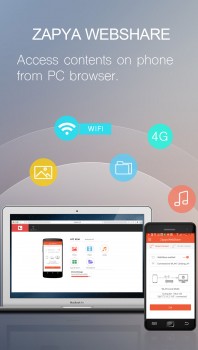
Zapya WebShare
1. Introduction
File sharing between devices often requires cables, cloud uploads, or email attachments creating unnecessary complexity. Zapya WebShare enables wireless file transfer between smartphones, tablets, and computers through local WiFi networks without internet connectivity requirements. Whether sharing photos, videos, documents, or apps across devices, this application simplifies transfer through direct device-to-device connections eliminating cloud intermediaries and data plan consumption.
The application serves users transferring files between personal devices, travelers sharing content without internet, groups distributing files locally, and anyone requiring fast wireless transfers without cloud dependencies.
2. Key Features
Cross-Platform Support: Works across Android, iOS, Windows, and Mac enabling file sharing regardless of device ecosystems.
No Internet Required: Creates direct WiFi connections between devices enabling transfers without internet access or mobile data usage.
Fast Transfer Speeds: Achieves speeds up to 10MB/s on local WiFi networks, significantly faster than Bluetooth and cloud uploads.
Group Sharing: Shares files with multiple devices simultaneously, useful for distributing content to groups.
3. Technical Specifications
| Specification | Details |
|---|---|
| Platforms | Android, iOS, Windows, macOS |
| Connection Method | WiFi Direct, existing WiFi network |
| File Size Limit | Unlimited |
4. Installation and Setup
Installation involves downloading from respective app stores or website. Setup requires installing on all devices intending to share files, then connecting devices through simple QR code scanning or manual device discovery.
5. User Interface and Workflow
The interface presents simple file browser for selecting content and connected device list for choosing recipients. Workflow involves selecting files, choosing destination devices, and initiating transfer with single tap.
6. Performance and Reliability
Zapya WebShare demonstrates fast transfer speeds on stable WiFi networks. Connection reliability depends on WiFi signal strength with transfers completing successfully under normal conditions.
7. Comparison with Alternatives
| Feature | Zapya WebShare | Bluetooth | Cloud Services |
|---|---|---|---|
| Speed | Fast (WiFi) | Slow | Upload dependent |
| Internet Required | No | No | Yes |
8. Practical Use Cases
Photo Sharing: Users quickly transfer event photos between smartphones without uploading to cloud services or using mobile data.
Travel File Exchange: Travelers share content with companions without internet access in remote locations.
Presentation Distribution: Presenters distribute materials to audience devices during meetings or classes.
9. Pricing and Value Proposition
Zapya WebShare is free with ad support. Premium version removes ads for small fee. The free tier provides full functionality making it accessible for all users.
10. Final Verdict
Zapya WebShare successfully delivers fast wireless file sharing through simple cross-platform application. The software excels by eliminating internet dependency while maintaining fast transfer speeds.
We recommend Zapya WebShare for users frequently sharing files between personal devices, travelers needing offline file transfer capabilities, and groups distributing content locally. The free availability and cross-platform support make it ideal for casual file sharing needs.
Developer:
Zapya WebShare
Download Options
Download Zapya WebShare
Safe & Secure
Verified and scanned for viruses
Regular Updates
Always get the latest version
24/7 Support
Help available when you need it
Pros & Cons Analysis
Pros
- Real-time protection against malware and viruses
- Regular security updates and definitions
- User-friendly interface
- Low system resource usage
- Automatic scanning features
Cons
- May slow down system during full scans
- Occasional false positives
- Requires regular updates
- Some features may require premium version
System Requirements
- Windows 7 or later / macOS 10.12 or later
- 2 GB RAM minimum
- 500 MB available disk space
- Internet connection for updates