EMCO Malware Destroyer

What is EMCO Malware Destroyer?
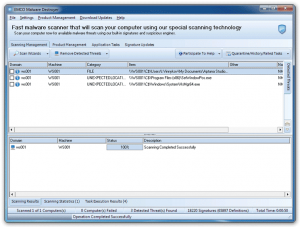
EMCO Malware Destroyer is a fast malware scanning utility designed to quickly detect and remove viruses, trojans, worms, adware, spyware, and other malicious software from Windows computers. Distinguished by its exceptionally rapid scanning engine that analyzes thousands of files per second, EMCO Malware Destroyer provides on-demand malware detection without the resource overhead of traditional real-time antivirus solutions. The software maintains a database of over 10,000 malware signatures updated regularly to identify current threats, making it suitable for quick security checks, second-opinion scanning, and supplementing primary antivirus protection.
The scanner’s speed advantage comes from its streamlined detection engine that focuses on known malware signatures rather than complex heuristic analysis. While this approach means it may miss zero-day threats that behavior-based detection would catch, it enables scanning entire systems in minutes rather than hours—particularly valuable for quick infection checks or scanning systems where time is limited. EMCO Malware Destroyer excels as a portable second-opinion scanner, verifying that primary antivirus hasn’t missed anything while avoiding the conflicts that running two real-time antivirus programs simultaneously would cause.
Beyond basic scanning, EMCO Malware Destroyer offers scheduled scans, quarantine management for isolated threats, detailed scan reports, and various scan profiles targeting different threat categories. The software runs without installation, making it useful for checking potentially infected systems without adding software that malware might detect and disable. For users seeking rapid malware checks, IT professionals needing quick system assessments, or anyone wanting a second-opinion scanner that won’t conflict with existing security software, EMCO Malware Destroyer provides fast, focused malware detection that complements comprehensive security suites.
Key Features
- Ultra-Fast Scanning: Analyzes thousands of files per second for rapid system-wide malware detection.
- Signature Database: Over 10,000 malware signatures identifying viruses, trojans, worms, and more.
- Quick Scan Mode: Targets critical system areas where malware commonly resides for fastest results.
- Full System Scan: Comprehensive scanning of all drives and files for thorough detection.
- Custom Scan: Select specific folders or drives to scan based on your needs.
- Quarantine Management: Isolates detected threats safely for review before permanent deletion.
- Scheduled Scanning: Automate regular scans at specified times without manual intervention.
- Portable Operation: Runs without installation for checking unfamiliar systems safely.
- Detailed Reports: Comprehensive scan logs documenting all detected and removed threats.
- Regular Updates: Database updates adding signatures for newly discovered malware.
- Low Resource Usage: Minimal system impact even during active scanning.
- No Conflicts: Works alongside existing antivirus as second-opinion scanner.
- Multiple Languages: Interface available in numerous languages for international users.
Why Use a Second-Opinion Scanner?
- No Single AV Catches Everything: Different antivirus engines detect different threats—what one misses, another may catch.
- Verification: Confirms your primary antivirus is working correctly and hasn’t been compromised by malware.
- Specialized Detection: Some scanners focus on specific threat types your primary AV may not prioritize.
- Post-Infection Checks: After removing suspected infection, verify complete cleanup with different scanner.
- Peace of Mind: Quick second scan provides confidence that system is truly clean.
System Requirements
Minimum Requirements
- Windows XP SP3, Vista, 7, 8, 8.1, 10, or 11
- Intel Pentium 4 or AMD equivalent processor
- 512 MB RAM
- 100 MB free hard disk space
- Internet connection for updates
Recommended Configuration
- Windows 10 or Windows 11
- Multi-core processor for faster scanning
- 2 GB RAM or more
- SSD storage for maximum scan speed
How to Use EMCO Malware Destroyer
- Download: Get EMCO Malware Destroyer from official EMCO website.
- Update Database: Before first scan, click Update to download latest malware signatures.
- Select Scan Type: Choose Quick Scan for speed, Full Scan for thoroughness, or Custom for specific areas.
- Start Scan: Click Scan button to begin malware detection process.
- Review Results: Examine any detected threats and determine action for each item.
- Quarantine or Delete: Send threats to quarantine for safe isolation or delete permanently.
- Check Quarantine: Review quarantined items periodically—restore false positives if needed.
- Schedule Regular Scans: Set up automated weekly scans for ongoing protection.
- Keep Updated: Regularly update signature database for protection against new threats.
- View Reports: Check scan history and reports to track security status over time.
EMCO Malware Destroyer vs Alternatives
| Feature | EMCO Malware Destroyer | Malwarebytes Free | HitmanPro |
|---|---|---|---|
| Price | Free | Free (limited) | $24.95/year |
| Scan Speed | Very Fast | Medium | Fast |
| Real-Time Protection | No | Premium only | No |
| Portable | Yes | No | Yes |
| Cloud Scanning | No | No | Yes |
| Best For | Quick secondary scans | Comprehensive removal | Advanced threats |
Pros and Cons
Pros
- Exceptional Speed: Scans entire systems far faster than most competitors.
- Completely Free: Full functionality without payment or limitations.
- Portable Option: Runs without installation for safe checking of suspicious systems.
- No Conflicts: Works safely alongside primary antivirus software.
- Simple Interface: Straightforward design requiring no technical expertise.
- Scheduled Scans: Automate regular checks without manual intervention.
- Light on Resources: Minimal system impact during operation.
- Regular Updates: Database maintained with current threat signatures.
Cons
- No Real-Time Protection: On-demand scanning only—doesn’t prevent infections.
- Signature-Based: May miss new or unknown malware variants.
- Limited Advanced Features: No behavior analysis or ransomware protection.
- Windows Only: No versions for macOS or Linux systems.
- Smaller Database: Fewer signatures than major antivirus vendors.
- Basic Reporting: Less detailed analysis than premium security tools.
Frequently Asked Questions
Can EMCO Malware Destroyer replace my antivirus?
No, EMCO Malware Destroyer should complement, not replace, your primary antivirus. It provides on-demand scanning only without real-time protection that prevents infections as they occur. Use it as a second-opinion scanner alongside a full antivirus suite that includes real-time protection, web filtering, and other comprehensive security features.
How is the scanning so fast?
EMCO’s speed comes from a streamlined detection engine focused on signature matching without complex heuristic or behavioral analysis. While this means less detection of unknown threats, it enables scanning thousands of files per second—valuable for quick checks where time matters more than comprehensive analysis. The trade-off is appropriate for second-opinion scanning but not primary protection.
Is EMCO Malware Destroyer safe to use?
Yes, EMCO Malware Destroyer is legitimate security software from EMCO Software, an established developer. The software contains no bundleware, adware, or unwanted programs. As with any security tool, download only from the official website to ensure you receive the authentic, unmodified version without tampering by malicious actors.
Final Verdict
EMCO Malware Destroyer fills a specific niche in the security software ecosystem—providing rapid malware scanning for users who need quick infection checks, second-opinion verification, or portable scanning capabilities. Its exceptional speed makes it valuable for IT professionals assessing multiple systems, users wanting quick post-download checks, or anyone needing verification that their primary antivirus hasn’t missed anything. The completely free pricing without limitations or premium upsells adds to its appeal as a utility tool rather than a primary security solution.
The tool’s limitations are clear and appropriate for its intended use: on-demand scanning without real-time protection, signature-based detection without advanced heuristics, and a smaller threat database than major security vendors. These trade-offs enable the speed that makes EMCO Malware Destroyer valuable while making clear it supplements rather than replaces comprehensive security suites. For users seeking a fast, free, no-nonsense second-opinion scanner that works alongside existing antivirus without conflicts, EMCO Malware Destroyer delivers exactly what it promises.
Developer:
distribution.
Download Options
Safe & Secure
Verified and scanned for viruses
Regular Updates
Always get the latest version
24/7 Support
Help available when you need it