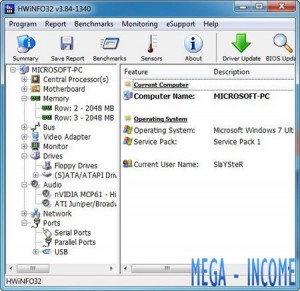
HWiNFO – Comprehensive Hardware Monitoring and Analysis

What is HWiNFO?
HWiNFO (Hardware Information) is a free, professional-grade hardware monitoring and diagnostic tool for Windows that provides the most comprehensive hardware information available. Developed by Martin Malík since 1995, HWiNFO has become the gold standard for system monitoring among overclockers, hardware enthusiasts, and IT professionals.
Unlike simple tools like Windows Task Manager, HWiNFO shows you everything about your hardware: CPU temperatures per core, GPU metrics, motherboard sensors, fan speeds, voltages, power consumption, and hundreds of other parameters in real-time. It supports the latest hardware the day it’s released and provides data that even manufacturer software often misses.
HWiNFO is completely free (though donations are welcomed), portable, and can run in the background with minimal resource usage. It can log sensor data, export reports, integrate with monitoring overlays like RTSS (RivaTuner Statistics Server), and provides data to third-party monitoring tools. For anyone serious about understanding their computer’s hardware, HWiNFO is indispensable.
Key Features
- Comprehensive Hardware Info: Detailed information on CPU, GPU, motherboard, RAM, drives, and peripherals.
- Real-Time Monitoring: Track temperatures, voltages, fan speeds, clock speeds, and power consumption live.
- Sensor Logging: Record sensor data to CSV files for analysis and troubleshooting.
- Customizable Monitoring: Configure which sensors to display and in what order.
- Alert System: Set alerts when temperatures or values exceed safe limits.
- System Summary: Generate detailed hardware reports for documentation or support.
- OSD Integration: Display sensors in games via RivaTuner Statistics Server.
- Latest Hardware Support: Supports newest CPUs, GPUs, and chipsets immediately.
- Portable: Run from USB without installation.
- Low Resource Usage: Minimal CPU and RAM usage despite comprehensive monitoring.
What’s New in HWiNFO 2024/2025
HWiNFO receives frequent updates to support new hardware:
- Latest CPU Support: Day-one support for Intel Meteor Lake, AMD Ryzen 8000, and newer processors.
- GPU Monitoring: Enhanced monitoring for NVIDIA RTX 40-series and AMD RX 7000-series graphics cards.
- DDR5 Support: Complete monitoring of DDR5 memory modules and XMP profiles.
- Motherboard Sensors: Support for latest motherboard chipsets and sensor chips.
- NVMe Monitoring: Enhanced SSD monitoring including health and endurance data.
- Windows 11 Support: Full compatibility with Windows 11 and its features.
- Interface Improvements: Refinements to sensor tree and customization options.
- Bug Fixes: Continuous improvements to accuracy and compatibility.
System Requirements
Windows
- Windows XP or later (Windows 10/11 recommended)
- 32-bit and 64-bit versions available
- Minimal RAM requirements
- 10 MB disk space
Note: HWiNFO is Windows-only. macOS users can try iStat Menus or Intel Power Gadget. Linux users can use lm-sensors or htop.
How to Get Started with HWiNFO
- Download: Get HWiNFO from hwinfo.com – choose installer or portable version.
- Install/Extract: Install or extract portable version to any folder.
- Launch: Run HWiNFO64 (for 64-bit Windows) or HWiNFO32.
- Choose Mode: Select “Sensors-only” for monitoring or “Summary” for hardware info.
- View Sensors: The sensor window shows all available readings organized by component.
- Customize: Right-click sensors to hide unwanted ones or configure alerts.
Key Monitoring Metrics
| Component | What HWiNFO Shows |
|---|---|
| CPU | Temps per core, clock speeds, voltage, power draw, utilization |
| GPU | Temps, clocks, memory usage, power, fan speed, utilization |
| Motherboard | Chipset temp, voltages, fan speeds, VRM temperatures |
| RAM | Usage, clock speed, timings, voltage, temperature |
| Storage | SSD/HDD temps, health, read/write speeds, lifespan |
Pros and Cons
Pros
- Most Comprehensive: Shows more hardware data than any other tool.
- Professional Accuracy: Trusted by overclockers and hardware reviewers.
- Free Forever: No cost, no limitations, donation-supported.
- Latest Hardware: Supports newest components immediately after release.
- Customizable: Configure exactly which sensors to monitor.
- Low Overhead: Minimal resource usage despite extensive monitoring.
Cons
- Information Overload: Can be overwhelming with hundreds of sensors shown.
- Windows Only: No macOS or Linux version.
- Learning Curve: Understanding what all the sensors mean takes time.
- Interface: Functional but not the prettiest design.
HWiNFO vs Alternatives
| Feature | HWiNFO | CPU-Z/GPU-Z | AIDA64 |
|---|---|---|---|
| Price | Free | Free | $39.95 |
| Real-Time Monitoring | Extensive | Basic | Extensive |
| Sensor Detail | Most detailed | Basic | Detailed |
| Logging | Yes | No | Yes |
| Best For | Monitoring | Quick info | Benchmarking |
Who Should Use HWiNFO?
HWiNFO is ideal for:
- PC Enthusiasts: Monitor system health and performance during gaming or intensive tasks.
- Overclockers: Essential tool for monitoring temps and voltages during overclocking.
- System Builders: Verify all components are working correctly in new builds.
- IT Professionals: Diagnose hardware issues and document system specifications.
- Content Creators: Monitor system load during rendering and video encoding.
- Gamers: Display FPS, temps, and usage via on-screen display while gaming.
Frequently Asked Questions
Is HWiNFO safe?
Yes, HWiNFO is completely safe. It’s been trusted by hardware enthusiasts for decades. It only reads sensor data and doesn’t modify hardware settings. Always download from the official site hwinfo.com.
Does HWiNFO slow down my computer?
No, HWiNFO uses minimal resources. You can run it in the background continuously with negligible performance impact.
Can HWiNFO damage my hardware?
No, HWiNFO is a monitoring tool only. It reads data but doesn’t change any hardware settings, voltages, or clock speeds. It cannot damage your hardware.
How is HWiNFO different from Task Manager?
Task Manager shows basic CPU, RAM, and GPU usage. HWiNFO shows detailed per-core temperatures, voltages, clock speeds, power consumption, and hundreds of other metrics that Task Manager doesn’t display.
Final Verdict
HWiNFO is the ultimate hardware monitoring tool for Windows. Whether you’re troubleshooting overheating, verifying a new build, monitoring gaming performance, or just want to understand your hardware better, HWiNFO provides unmatched detail and accuracy.
Download HWiNFO from hwinfo.com and keep it running in the background. Configure it to show only the sensors you care about, and you’ll have complete visibility into your computer’s health and performance. For hardware monitoring, there is no better tool.
Developer:
Martin Malík
Download Options
Download HWiNFO – Comprehensive Hardware Monitoring and Analysis
Version 7.72
File Size: 10 MB
Download NowSafe & Secure
Verified and scanned for viruses
Regular Updates
Always get the latest version
24/7 Support
Help available when you need it
System Requirements
- Windows XP+