Nero Burning ROM

What is Nero Burning ROM?
Nero Burning ROM is a professional-grade optical disc authoring and burning software developed by Nero AG, renowned as one of the most comprehensive and long-standing CD, DVD, and Blu-ray burning applications available for Windows. Since its debut in 1997, Nero Burning ROM has evolved into the gold standard for disc burning operations, offering advanced features beyond basic burning including audio conversion, disc copying, ISO image creation, data encryption, and disc verification. The software supports all major optical disc formats including CD-R/RW, DVD±R/RW, DVD-RAM, BD-R/RE, and dual-layer variants. Unlike free burning alternatives, Nero Burning ROM provides enterprise-grade features like SecurDisc 4.0 with 256-bit encryption, Gracenote music database integration for automatic track information, and support for specialized disc technologies like LightScribe and LabelFlash for direct disc labeling.
Key Features
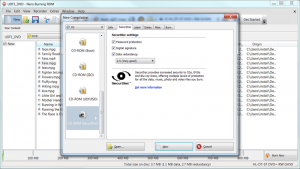
SecurDisc 4.0 Technology: Protect burned data with industry-standard 256-bit encryption, digital signatures, and password protection, plus adjustable data redundancy ensuring scratched discs remain readable.
Universal Format Support: Burn CD, DVD, and Blu-ray discs in all standard formats, create bootable discs, and handle specialized media including M-Disc for archival storage.
Audio Excellence: Convert and burn audio in multiple formats including MP3, MP3 PRO, AAC, FLAC, and APE with automatic song title and album information retrieval via Gracenote database.
ISO Image Management: Create ISO images from physical discs or folders, burn existing disc images, and verify image integrity before archiving.
Advanced Disc Copying: Clone discs directly or through image files, including copy-protected backups where legally permitted, with sector-by-sector copying options.
Gracenote Integration: Automatically download album artwork, track names, and artist information for audio CDs, integrating metadata into burned discs and ripped files.
Hardware Acceleration: Leverage NVIDIA CUDA, AMD App Acceleration, and Intel Quick Sync Video for faster encoding, transcoding, and burning operations.
LightScribe and LabelFlash: Design and burn labels directly onto compatible discs using your optical drive’s label-burning capabilities.
Verification and Quality Control: Automatically verify burned data against source files to ensure error-free archiving and reliable backups.
Disc Spanning: Split large data sets across multiple discs automatically when content exceeds single disc capacity.
What’s New in Nero Burning ROM
Version 2025 (v27.5.1.1) introduces enhanced Windows 11 compatibility with optimized performance on Microsoft’s latest operating system. The SecurDisc technology has been upgraded to version 4.0 with improved encryption algorithms and faster processing. Support for newer optical drive models and firmware updates ensures compatibility with current hardware. The Gracenote music database has been updated with expanded coverage of international albums and improved accuracy. Interface refinements include modernized icons and better high-DPI display support for 4K monitors. Bug fixes address rare burning errors with specific Blu-ray media types and improve stability when handling very large ISO files. Audio conversion performance has been enhanced through better multi-core processor utilization.
System Requirements
Operating System: Windows 11, Windows 10, Windows 8.1, or Windows 7
Processor: 2 GHz or faster CPU (multi-core recommended)
Memory: 2 GB RAM minimum (4 GB or more recommended)
Storage: 5 GB free hard drive space for installation and temporary files
Graphics: Graphics card with dedicated 256 MB video RAM (hardware acceleration requires NVIDIA CUDA, AMD App Acceleration, or Intel Quick Sync Video support)
Optical Drive: CD, DVD, or Blu-ray recordable/rewritable drive required for burning
Display: 1024×768 minimum screen resolution
Internet: Connection required for Gracenote database and software updates
Download Guide
Visit the official Nero website at www.nero.com and navigate to the Nero Burning ROM product page. Click the Download button to obtain the 170 MB installer file. The software is also available through the Microsoft Store, Steam platform, and authorized retailers like Amazon. After downloading, run the installer executable and follow the setup wizard instructions. Nero Burning ROM is commercial software available with lifetime license options (no subscription renewals) or through Nero’s multimedia suite bundles. A trial version allows testing features before purchase. After installation and activation, launch the program and select your burning task from the comprehensive main menu. The built-in wizard guides you through common operations, while advanced users can access detailed manual controls for precise burning parameters.
Nero Burning ROM vs Alternatives
vs ImgBurn: ImgBurn is completely free and lightweight but lacks advanced features like encryption, audio conversion, and Gracenote integration that Nero provides, plus ImgBurn hasn’t been updated since 2013.
vs BurnAware Free: BurnAware offers basic burning free of charge with a simple interface, while Nero delivers professional features including SecurDisc encryption, hardware acceleration, and comprehensive format support justifying its commercial pricing.
vs CDBurnerXP: CDBurnerXP is free with decent features but lacks the polish, stability, and advanced capabilities of Nero, particularly for enterprise users requiring encryption and verification.
vs Roxio Creator: Roxio Creator is Nero’s primary commercial competitor with similar comprehensive features and multimedia capabilities, differing mainly in interface design and bundled applications rather than core burning functionality.
Pros and Cons
Pros:
- Industry-leading comprehensive feature set for all disc burning needs
- SecurDisc 4.0 encryption provides enterprise-grade data protection
- Gracenote integration automates audio metadata and artwork
- Hardware acceleration reduces burning and encoding times
- Lifetime license option eliminates subscription costs
- Supports all major optical formats including Blu-ray BDXL
- Active development with regular Windows compatibility updates
- LightScribe/LabelFlash support for direct disc labeling
- Robust verification ensures reliable backups
Cons:
- Commercial pricing when free alternatives exist for basic needs
- Large installation footprint at 5 GB including components
- Complex interface can overwhelm beginners
- Windows-only platform excludes Mac and Linux users
- Full multimedia suite bundles add features many users don’t need
- Hardware acceleration requires specific GPU support
- Optical media becoming less relevant in cloud storage era
Who Should Use Nero Burning ROM?
Professional content creators archiving video projects and media files to optical discs for client delivery benefit from SecurDisc encryption and verification features. IT departments managing enterprise backups requiring data security will appreciate the 256-bit encryption and password protection. Audio enthusiasts creating high-quality CD compilations gain value from Gracenote integration and lossless audio format support. Legal professionals archiving case files to tamper-evident SecurDisc media ensure document integrity for long-term storage. Musicians producing demo CDs and promotional materials can leverage the audio conversion and disc labeling capabilities. Video production houses delivering final cuts on Blu-ray media to clients or broadcasters rely on the professional-grade burning quality. Anyone requiring advanced features beyond basic burning, particularly encryption and data protection, will find Nero Burning ROM worth the investment.
Frequently Asked Questions
Is Nero Burning ROM still relevant with cloud storage?
Yes, for archival storage, physical media distribution, data security requirements, and offline backups that don’t depend on internet connectivity or subscription services.
Can it burn copy-protected discs?
Nero can create backup copies where legally permitted, but cannot bypass commercial copy protection like CSS on retail DVDs due to legal restrictions.
What’s the difference between Nero Burning ROM and Nero Platinum?
Nero Burning ROM is the standalone disc burning application, while Nero Platinum is a comprehensive multimedia suite including burning, video editing, media playback, and other tools.
Does it require a subscription?
No, Nero Burning ROM is available with lifetime license options for one-time purchase, though Nero also offers subscription-based bundles for their full suite.
Can I use it on multiple computers?
Standard licenses typically cover one PC. Multi-computer licenses are available for additional cost for home networks or businesses.
Does it support M-Disc?
Yes, Nero Burning ROM fully supports M-Disc archival media designed for long-term data preservation.
Final Verdict
Nero Burning ROM remains the benchmark professional optical disc burning solution for Windows users who require comprehensive features, robust security, and reliable performance beyond what free alternatives provide. The SecurDisc 4.0 technology alone justifies the investment for users handling sensitive data requiring encryption and tamper protection. Gracenote integration streamlines audio CD creation with automatic metadata, while hardware acceleration ensures efficient processing on modern systems. The lifetime license model provides long-term value compared to subscription services. However, casual users burning occasional data discs may find free alternatives like BurnAware sufficient for basic needs. For professionals, businesses, content creators, and power users who regularly work with optical media and need advanced capabilities like encryption, verification, and specialized format support, Nero Burning ROM delivers unmatched functionality and reliability that has made it the industry standard for nearly three decades.
Developer:
Nero Burning ROM
Download Options
Download Nero Burning ROM
Download NowSafe & Secure
Verified and scanned for viruses
Regular Updates
Always get the latest version
24/7 Support
Help available when you need it
Pros & Cons Analysis
Pros
- Industry standard disc burning
- All disc formats
- SecurDisc encryption
- Split large files
- Audio ripping
- Reliable burning
- Professional features
Cons
- Windows-only software
- Expensive license
- Large installation
- Physical media declining
- Yearly updates costly
- Bloated compared to alternatives
System Requirements
- Windows 7 or later / macOS 10.12 or later
- 2 GB RAM minimum
- 500 MB available disk space
- Internet connection for updates