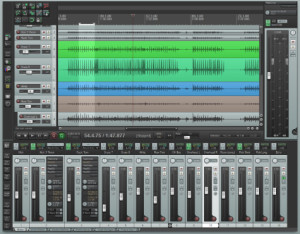
REAPER

What is REAPER
REAPER (Rapid Environment for Audio Production, Engineering, and Recording) is a comprehensive digital audio workstation (DAW) developed by Cockos. Unlike many DAW software packages that cost hundreds or thousands of dollars, REAPER offers professional-level audio production capabilities at a fraction of the price, with a personal license costing just $60 and a commercial license at $225.
Since its initial release in 2005, REAPER has gained a devoted following among audio professionals, musicians, podcast producers, and home studio enthusiasts for its lightweight design, extensive customization options, and powerful feature set. The software runs on Windows, macOS, and Linux, making it one of the most versatile DAWs available across multiple platforms.
Key Features
Unlimited Track Count: Create unlimited audio and MIDI tracks without artificial limitations imposed by licensing tiers—your only constraint is your computer’s processing power.
Lightweight and Efficient: REAPER’s installer is approximately 20 MB, a hundred times smaller than some competing DAWs, yet delivers professional-grade functionality without bloat.
Comprehensive Format Support: Record and edit audio in virtually any format, with support for WAV, MP3, FLAC, AIFF, OGG, and many more audio file types.
Built-in Effects and Processing: Includes dozens of studio-quality effects including EQ, compression, reverb, delay, and modulation effects, plus support for VST, AU, and JS plugins.
MIDI Editing and Sequencing: Full-featured MIDI editor with piano roll, list editing, and notation views for composing and arranging music.
Automation: Automate virtually any parameter in your project with flexible envelope editing and multiple automation modes.
Video Editing Support: Edit audio for video projects with built-in video playback and editing capabilities, making REAPER suitable for post-production work.
Customization: Extensively customizable interface with themes, custom actions, scripts, and the ability to modify nearly every aspect of the workflow to match your preferences.
What’s New in the Latest Version
REAPER version 7, released in 2024, introduces several significant enhancements to the platform. The most notable addition is support for track lanes and swipe comping, features long-requested by users who frequently record multiple takes and need efficient tools for selecting the best performances.
Version 7 expanded audio routing capabilities with up to 128 channels of audio per track and 128 buses for MIDI routing, providing unprecedented flexibility for complex production setups. This makes REAPER even more competitive with high-end DAWs used in large-scale music production and post-production facilities.
Performance optimizations throughout version 7 improve CPU efficiency, allowing users to run larger projects with more plugins and tracks on the same hardware. The development team continues releasing frequent updates, with version 7.x receiving regular point releases addressing user feedback and adding refinements.
System Requirements
Operating Systems:
- Windows XP/Vista/7/8/10/11 (32 or 64-bit Intel/AMD, beta support for arm64ec)
- macOS 10.5 through 15.x (Intel and ARM64/Apple Silicon)
- Linux with GTK+3 (GTK+2 supported with additional configuration)
Processor: Intel Core i7/i9 or AMD Ryzen 7/9 recommended for complex projects, though REAPER runs on far more modest processors than most competing DAWs
RAM: Minimum 4 GB recommended, 16 GB or more advisable for projects with many tracks and plugins. REAPER is notably efficient with memory usage compared to other DAWs.
Storage: 25 MB for REAPER installation (installer approximately 20 MB). Additional space needed for audio files, samples, and plugin libraries.
Audio Interface: While REAPER works with standard computer audio, a dedicated audio interface is recommended for professional recording with low latency.
How to Download and Get Started
Step 1: Download
Visit reaper.fm and navigate to the Download section. Choose the installer for your operating system (Windows, macOS, or Linux). The download is approximately 20 MB and completes quickly.
Step 2: Install and Evaluate
Run the installer and follow the setup wizard. REAPER offers a fully functional 60-day evaluation period with no feature limitations—everything works exactly as it would in the licensed version.
Step 3: Configure Audio Settings
On first launch, REAPER guides you through audio device configuration. Select your audio interface (or computer audio) and configure buffer size for optimal latency and performance.
Step 4: Create Your First Project
Start a new project, insert a track, and begin recording or importing audio. REAPER’s interface may seem minimal at first, but this simplicity hides powerful functionality accessible through right-click context menus.
Step 5: Explore Resources
Access REAPER’s comprehensive built-in documentation, watch tutorial videos on YouTube (REAPER Mania and Kenny Gioia are excellent resources), and join the active REAPER forums where experienced users help newcomers.
Step 6: Purchase License (Optional)
After evaluating, purchase a $60 personal license (for personal use, small businesses, schools) or $225 commercial license. Both include version 7 and all future version 7.x updates, plus a significant discount on future major versions.
REAPER vs Alternatives
REAPER vs Pro Tools: Pro Tools remains the industry standard in many professional recording studios, with subscriptions starting at $9.99/month or $599 for perpetual licenses. It offers tighter integration with Avid hardware and is the expected tool in many professional environments. However, REAPER’s $60 price, lower system requirements, and perpetual licensing model make it far more accessible for home studios and independent producers. REAPER users report comparable audio quality and functionality for most tasks at a fraction of the cost.
REAPER vs Ableton Live: Ableton Live ($99-$749 depending on edition) excels in electronic music production and live performance with its unique Session View and extensive loop-based workflow tools. REAPER offers more traditional linear recording and editing, making it better suited for multi-track recording, post-production, and arrangements that don’t rely heavily on loops. Ableton’s included sounds and instruments justify its higher price for electronic musicians, while REAPER appeals to those who prefer third-party plugins.
REAPER vs Logic Pro: Logic Pro ($199.99, macOS only) provides exceptional value with thousands of included sounds, loops, and instruments, plus a polished interface designed specifically for Mac. REAPER’s cross-platform compatibility (Windows/Mac/Linux), smaller footprint, and lower price ($60) give it advantages for users who need flexibility across systems or prefer a more customizable, lightweight DAW without bundled content.
REAPER vs Audacity: Audacity is completely free and open-source, making it the go-to choice for basic audio editing and simple recording projects. However, REAPER’s vastly superior MIDI capabilities, plugin support, automation, routing flexibility, and professional workflow tools make it worth the $60 investment for anyone doing serious audio production beyond basic editing.
Pros and Cons
Pros:
Exceptional Value: $60 for a license that includes all version 7.x updates and significant discounts on future versions—one of the best value propositions in professional audio software.
Lightweight and Fast: 20 MB installer, minimal CPU usage compared to competitors, and ability to run efficiently on older or less powerful computers while delivering professional results.
Highly Customizable: Modify nearly every aspect of the interface, workflow, keyboard shortcuts, and functionality through themes, scripts, and custom actions—tailor REAPER to your exact needs.
Cross-Platform: Full-featured versions for Windows, macOS, and Linux with projects transferring seamlessly between platforms, rare among professional DAWs.
Active Development: Frequent updates with new features, improvements, and bug fixes based on user feedback from an engaged community.
Cons:
Steeper Learning Curve: Minimalist interface and reliance on context menus rather than obvious buttons can confuse new users accustomed to more graphically rich DAWs like FL Studio or Ableton.
No Included Content: Unlike Logic Pro or Ableton, REAPER doesn’t include sound libraries, loops, or virtual instruments—you’ll need to source these separately, adding to initial costs.
Less Industry Standard: While gaining popularity, REAPER isn’t as universally adopted as Pro Tools in professional studios, potentially creating compatibility issues when collaborating with facilities that expect Pro Tools sessions.
Interface Aesthetics: Default interface appearance is functional but plain compared to the polished, modern designs of Ableton Live or Logic Pro, though this is addressable through community-created themes.
Who Should Use REAPER
Home Studio Musicians: Independent artists recording multi-track music at home who need professional capabilities without the budget-breaking cost of Pro Tools or Logic Pro.
Podcast Producers: Podcasters editing multi-track recordings benefit from REAPER’s efficient editing tools, batch processing, and rendering capabilities at minimal cost.
Audio Post-Production Professionals: Video editors and sound designers appreciate REAPER’s video support, extensive routing options, and ability to handle complex projects with numerous tracks.
Live Sound Engineers: REAPER’s stability, low latency, and flexible routing make it suitable for live recording and playback applications on stage or in broadcast environments.
Budget-Conscious Professionals: Freelance audio professionals who need a capable DAW but can’t justify spending hundreds or thousands on software licenses or subscriptions.
Linux Audio Users: One of the few professional-grade DAWs available for Linux, making REAPER the clear choice for audio professionals committed to open-source operating systems.
Frequently Asked Questions
Q: Is the evaluation version fully functional?
A: Yes, absolutely. The 60-day evaluation has zero feature restrictions—everything works exactly as it would in the licensed version. After 60 days, the software continues working but displays a reminder to purchase a license.
Q: What happens after the license expires?
A: REAPER licenses don’t expire. A version 7 license includes all 7.x updates forever. When version 8 eventually releases, you’ll receive a significant discount upgrade offer, but your version 7 license continues working indefinitely.
Q: Can I use REAPER for commercial projects during evaluation?
A: Cockos’s license terms technically require purchasing a license for commercial use, though the software doesn’t enforce this during evaluation. Most ethical users purchase immediately or after determining REAPER meets their needs.
Q: Does REAPER include virtual instruments and sounds?
A: No. REAPER includes audio and MIDI processing effects but no virtual instruments or sound libraries. You’ll need to use third-party plugins (many excellent free options exist) or purchase commercial instruments separately.
Q: How does REAPER’s audio quality compare to Pro Tools?
A: Audio quality is essentially identical. REAPER uses 64-bit floating-point processing throughout, and the final output quality depends more on your recording technique, interface, and mixing skills than the DAW itself.
Final Verdict
REAPER stands out as an exceptional value proposition in the DAW market, delivering professional-grade audio production capabilities at a price point accessible to virtually anyone serious about audio work. Its $60 personal license (with generous definition of “personal use”) removes the financial barrier that keeps many aspiring producers from accessing professional tools.
The software’s lightweight design and efficiency make it run smoothly on hardware that would struggle with resource-intensive DAWs like Pro Tools or FL Studio, extending the useful life of older computers. For podcasters, home studio musicians, and audio professionals on tight budgets, REAPER provides nearly everything needed for professional results without subscription fees or expensive upgrades.
However, REAPER’s minimalist interface and lack of included content create a steeper initial learning curve and require more upfront work finding suitable plugins and instruments. Users accustomed to the polished interfaces and extensive sound libraries of Logic Pro or Ableton Live may find REAPER’s bare-bones approach off-putting initially.
For those willing to invest time learning its workflow and assembling a plugin collection, REAPER rewards users with a powerful, customizable, and incredibly efficient audio production environment that can handle anything from simple podcast editing to complex film scoring. The active community, frequent updates, and fair pricing make REAPER an outstanding choice for anyone who values capability and value over brand recognition.
Rating: 4.5/5 Stars – Exceptional value and capability held back only by the learning curve and lack of included content.
Download Options
Download REAPER
Download NowSafe & Secure
Verified and scanned for viruses
Regular Updates
Always get the latest version
24/7 Support
Help available when you need it