The Journal 7

1. Introduction
Digital journaling combines the reflective benefits of traditional journaling with modern organizational capabilities and search functionality. The Journal 7 provides comprehensive journaling software for Windows, enabling users to maintain detailed personal records, track thoughts and experiences, and organize reflections across years of entries. Whether maintaining daily diaries, tracking personal growth, organizing research notes, or documenting life events, this software delivers structured yet flexible journaling capabilities.
The application serves individuals maintaining personal journals, writers developing ideas, researchers organizing notes, and anyone valuing documented reflection and memory preservation through organized digital records.
2. Key Features
Rich Text Editing: Supports formatted text with fonts, colors, styles, and embedded images, enabling expressive journal entries beyond plain text limitations.
Categories and Tags: Organizes entries through customizable categories and tags, facilitating retrieval of related entries across different time periods.
Password Protection: Secures personal thoughts through encryption and password protection, ensuring privacy for sensitive reflections.
Search and Filtering: Locates specific entries through full-text search, date ranges, categories, and tags, making years of journals instantly accessible.
3. Technical Specifications
| Specification | Details |
|---|---|
| Supported OS | Windows 7/8/10/11 |
| Encryption | AES-256 bit |
| Export Formats | TXT, RTF, HTML, PDF |
4. Installation and Setup
Installation completes within minutes through simple wizard-guided process. The software requires minimal disk space with journal size growing based on entry volume and embedded media.
5. User Interface and Workflow
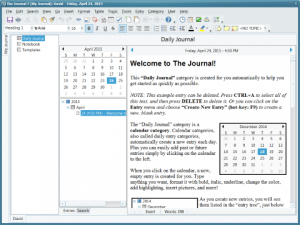
The interface presents calendar navigation, entry editor, and organizational tools clearly. Daily workflow involves selecting dates, writing entries with formatting, applying categories/tags, and searching previous reflections when needed.
6. Performance and Reliability
The Journal 7 maintains responsive performance even with years of accumulated entries. Search operations complete quickly, and the software handles embedded images efficiently without performance degradation.
7. Comparison with Alternatives
| Feature | The Journal 7 | Day One | OneNote |
|---|---|---|---|
| Platform | Windows | Mac/iOS | Cross-platform |
| Dedicated Journaling | Yes | Yes | No (General notes) |
| Price | $49.95 | $2.99/month | Free/Subscription |
8. Practical Use Cases
Personal Journaling: Individuals maintain daily reflections, tracking personal growth, experiences, and thoughts with organized, searchable records spanning years.
Research Documentation: Researchers organize interview notes, observations, and insights with categorization enabling efficient information retrieval during analysis.
Creative Writing: Writers develop ideas, characters, and plot points through journaling, using tags and categories to organize creative concepts.
9. Pricing and Value Proposition
The Journal 7 is available for $49.95 as a one-time purchase providing lifetime access. A free trial allows evaluation before purchase. The one-time cost provides excellent value compared to subscription journaling services charging monthly fees.
10. Final Verdict
The Journal 7 successfully delivers comprehensive digital journaling capabilities through well-organized features and reliable performance. The software excels by providing structure without constraining personal expression.
We recommend The Journal 7 for Windows users seeking dedicated journaling software, particularly those valuing privacy through local storage and encryption. The one-time purchase model and rich feature set make it ideal for committed journalers wanting professional capabilities without ongoing subscription costs.
Developer:
The Journal 7
Download Options
Download The Journal 7
Download NowSafe & Secure
Verified and scanned for viruses
Regular Updates
Always get the latest version
24/7 Support
Help available when you need it
Pros & Cons Analysis
Pros
- Digital journaling software
- Password protection
- Calendar integration
- Rich text formatting
- Image embedding
- Search functionality
- Backup features
Cons
- Windows-only application
- Dated interface
- Subscription or purchase
- Cloud sync limited
- Mobile access restricted
- Niche journaling market
System Requirements
- Windows 7 or later / macOS 10.12 or later
- 2 GB RAM minimum
- 500 MB available disk space
- Internet connection for updates