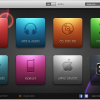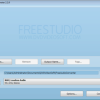
Free Audio Converter converts different audio file formats, including mp3, wav, m4a, aac, wma, ogg.

Each format is provided with a corresponding profile kit and a preset editor in order to make a personalized preset. So you can create new presets, delete and edit the old ones (change the current parameters).

Free Audio Converter goes with both a single and a batch mode support.

Supports XP and Vista.

Free Audio Converter contains no spyware or adware. It’s clearly free and absolutely safe to install and run.

Download: Free Audio Converter 1.2.4.88

Google Buzz

Mp3tag – the universal Tag Editor and more …

Mp3tag is a powerful and yet easy-to-use tool to edit metadata of common audio formats where it supports ID3v1, ID3v2.3, ID3v2.4, iTunes MP4, WMA, Vorbis Comments and APE Tags.

It can rename files based on the tag information, replace characters or words in tags and filenames, import/export tag information, create playlists and more.

Mp3tag supports online database lookups from, e.g., Amazon, discogs, or freedb, allowing you to automatically gather proper tags and cover art for your music library.

Mp3tag supports the following audio formats:

• Advanced Audio Coding (aac)
• Free Lossless Audio Codec (flac)
• Monkey’s Audio (ape)
• Mpeg Layer 3 (mp3)
• MPEG-4 (mp4 / m4a / m4b / iTunes compatible)
• Musepack (mpc)
• Ogg Vorbis (ogg)
• OptimFROG (ofr)
• OptimFROG DualStream (ofs)
• Speex (spx)
• True Audio (tta)
• Windows Media Audio (wma)
• WavPack (wv)

Main features:

Batch Tag Editing Write ID3v1.1, ID3v2.3, ID3v2.4, MP4, WMA, APEv2 Tags and Vorbis Comments to multiple files at once.

Support for Cover Art Download and add album covers to your files and make your library even more shiny.

Import from Amazon, discogs, freedb Save typing and import tags from online databases like Amazon, discogs, freedb and more.

Replace characters or words Replace strings in tags and filenames (with support for Regular Expressions).

Create Playlists automatically Create and manage playlists automatically while editing.

Rename files from tags Rename files based on the tag information and import tags from filenames.

Export to HTML, RTF, CSV Generate nice reports and lists of your collection based on user-defined templates.

Full Unicode Support User-interface and tagging are fully unicode compliant.

Besides these main features Mp3tag offers a variety of other functions and features ranging ranging from batch export of embedded album covers, over support for iTunes-specific tags like media type or TV Show settings, to combining multiple actions into groups that can be applied with a single mouse click.

For Windows XP/2003/2008/Vista/Windows 7.

Download: Mp3tag 2.46a

Download: Mp3tag Beta

Google Buzz

Watch your favorite videos on your favorite devices

Introducing RealPlayer SP

·It’s social. It’s portable. It’s the new RealPlayer SP.
·And it’s perfect for playing and sharing video with your friends and followers on Facebook and Twitter. ·You’ll also be happy to know it works easily with your favorite flavors of Blackberry, iPod, iPhone and game systems.

Download Video
Now you can download and organize your favorite videos from thousands of Websites. Then watch them anytime, anywhere you want.

Convert Video
Our new video converter makes it incredibly easy to copy online video to your iPod, cell phone, Xbox, PS3 or other favorite device.

Share Video
RealPlayer SP is the easiest way to share your favorite videos – with your favorite people – on your Facebook page or Twitter feed.

Requirements: Windows XP/Vista, Macintosh, Linux

Download: RealPlayer SP 1.1.3 Build 12.0.0.653 for Windows

Download: RealPlayer SP 1.0 Beta for Mac

Download: RealPlayer 11 for Linux

Google Buzz

Combine multiple AVCHD, BD (Blu-ray Disc) or DVD folders and AVC MKV, AVC AVI, TS, M2TS/MTS, MPEG/MPG, MP4 M2V, VC-1, 264, TRP or HDV3 MOV files into a single structure

multiAVCHD is for those of you, who want to:

· put up to 252 different files (MPEG2, Quicktime MOV, MKV/AVC, AVI/AVC, M2TS/MTS, TS, TRP, M2V, VC1, 264, MP4, MPLS, IFO, etc.) or AVCHD / Blu-ray / DVD / VIDEO_TS folders
in one place and navigate all these via nice 1080p top menu:

- XMB style MENU: up-to 252 scrollable titles (similar to Playstation3 cross-media-bar XMB)
- SLIDE MENU: up-to 252 scrollable titles (similar to Apple iTunes)
- CAROUSEL MENU: up-to 252 scrollable titles
- THUMBNAIL MENU: 36 pages x 7 titles
- LIST MENU: 18 pages x 14 titles
- NO MENU: 252 directly selectable titles during playback

· transfer their DVD backups without reencoding into Blu-ray or AVCHD format (DVD menu is not imported)

· watch their Blu-ray Disc backups without reencoding (PS3) (just select your movie M2TS file
from the original BDMV\STREAM folder (the largest one) and use it with multiAVCHD;
you can put .srt subtitles in the same folder, named 000XX.srt where 000XX is your M2TS file).
multiAVCHD will split it in 4GB chunks, so you’ll be able to transfer it to your external USB disk or USB flash drive.

· You can also remove audio tracks and add your own (external) tracks to keep final size smaller or re-encode
existing HD audio tracks to much smaller (but quality) AC3 audio tracks. 20GB bluray disk movie takes about 10-20 minutes
to be transferred to an AVCHD compatible folder, playable in any BD (BluRay Disk Player) or Playstation 3.

multiAVCHD can create output for:

· USB / MS (MemoryStick) / SD / SDHC equipped Blu-ray disc players (like Playstation 3)
· Blu-ray players employing Secure Digital High Capacity capabilities – SD/SDHC cards (like Panasonic Blu-ray players, Playstation 3, selected Panasonic Viera TV sets)
· Blu-ray players, compatible with AVCHD format (AVCHD written on DVD-R media) – most Blu-ray players
· Blu-ray players, compatible with AVCHD on BD-R disc – most Blu-ray players
· Direct BDMV format – Blu-ray Disc format – all Blu-ray players

Download: multiAVCHD 3.0 Build 735

Google Buzz

MPlayer, the award-winning OpenSource media player available for Windows now!

This package contains the latest builds of MPlayer for the Windows platform as well as SMPlayer and MPUI.

Thanks to the award-winning MPlayer engine, more than 192 Video- and 85 Audiocodecs are supported natively.

For maximum performance the package includes optimized MPlayer binaries for various CPU types.

Furthermore the Full-Package includes the Binary Codec Package to enable even more audio/video formats.

The Light-Package is a stripped-down version of this package, that includes MPUI and the MPlayer binaries only.

Download: MPlayer for Windows 2010-03-17

Google Buzz

ChrisTV PVR (Personal Video Recorder) is software designed to control analog TV Cards, Graphic Cards with Video Input (VIVO), Combo Cards (Graphic Card and TV Card), Webcams, DVcam Capture that have WDM drivers(Windows Driver Model) or BDA drivers compatible with DirectShow specifications.

System Requirements:

Hardware:

- AMD Duron or Intel Pentium.
- PCI or AGP DirectX compatible graphic adapter card, overlay support recommended.
- Supported capture device
- Sound card.

Software:

- Windows 98SE, Windows Me, Windows 2000, Windows XP, Windows Server 200, Windows Vista and 7
- DirectX 8.1 or higher installed.

ChrisTV Lite is a Freeware Software for Non-Commercial Use.

Download: ChrisTV Lite 5.51

Google Buzz

The Cole2k Media Codec Pack features a collection of codecs and filters for encoding and decoding a large variety of video and audio formats.

The Standard Codec Pack is mainly for general use, it features a large number of playback codec’s/filters and a small number of encoding codec’s should you wish to encode files. The package will enable you to playback most major formats currently available.

The Advanced Codec Pack is mainly for use by encoders, it features a large number of codec’s/filters and also some additional tools.

The Silent Install GUI is for creating silent install scripts for the Advanced Codec Pack. Silent installs with scripts are used for distributing packages with all options pre-defined by the script.

Installation of the packages is made easy for users through the informative menu’s. Options that may cause problems have a warning in the description pane, the installer will also unselect options that my cause conflicts.

System Requirements: Microsoft Windows 7/Vista/XP/MCE/.net/2003/2000 x86 and x64, Microsoft DirectX 9 or higher suggested.

Download: Cole2k Media Codec Pack 7.9.1 Advanced

Download: Cole2k Media Codec Pack 7.9.1 Standard

Download: Cole2k Media Codec Pack 7.9.1 Silent Install GUI

Google Buzz

XMedia Recode is an all-in-one audio and video converter.

It allows you to convert DVD, AVI, MP4, 3GP, WMV, ASF etc…

XMedia Recode will work for most devices: iPod, iPhone, Samsung, SonyEricsson, Microsoft Zune, PSP, Blackberry, LG…

Languages: Deutsch, English, Français, Italiano, Japanese

Works on Windows 2000, XP, Vista, Windows 7 and it’s portable.

Download: XMedia Recode 2.2.1.0

Google Buzz

DivX Plus Web Player – Play and embed HD videos in your browser

Watch MKV Videos
– Enjoy the stunning quality of DivX Plus HD in full screen

Download Videos for Later
– Save and watch with DivX Player or on a DivX device

Easy Publishing and Streaming
– Embed videos to your site in a few easy steps

DivX Web Player lets you play up to HD-quality DivX video in your web browser. You can also use DivX Web Player to easily embed DivX videos onto your website or blog. You can now watch stunning high definition MKV videos right in your web browser and go full screen without losing quality. It includes all the features that made you love MKV in the first place, like the highly efficient H.264 video codec, multiple audio tracks, subtitles and immersive 5.1 channel AAC audio.

Features:
· Plays MKV files with H.264 video (DivX Plus HD)
· Support for multiple subtitles and audio tracks
· 5.1 channel surround sound AAC audio
· Download free videos to watch later
· Watch AVI files with DivX video and MP3 audio

DivX Web Player requires Windows XP/Vista/7 or Mac OS X and is compatible with the following web browsers: Google Chrome, Safari, Firefox, Internet Explorer, Opera, Flock.

Download: DivX Plus Web Player 2.0.2

Download: DivX Plus Web Player for Windows

Download: DivX Plus Web Player for Mac

Google Buzz

DivX for Windows is our premium software offering, providing everything you need for a true HD experience. Utilizing our latest and greatest video technology based on H.264, the new standard for HD digital video, DivX Pro lets you create HD video and play MKV videos with high-quality AAC audio. You can also play your DivX files (.divx, .avi) on millions of DivX Certified devices today. Look for DivX Plus™ HD Certified devices later this year that will support playback of all DivX and DivX Plus files, as well as .mkv (H.264/AAC) videos from the Internet.

DivX for Windows requires Windows XP/2000/Vista/7.

Download: DivX 8.0

Google Buzz

Windows 7 Codecs (100% free)

Codecs have been a problem for most users at one time or another. This is because there has never been an ‘out of the box’ working solution that the average computer user could install and just have everything work properly from the beginning.

Win7codecs is an audio and video codec package for Windows 7. Windows 7 Codecs allows you to play all types of Video and Audio Formats on Windows 7.

The following filetypes are enabled and SUPPORTED by the installation of the Windows 7 Codecs.
amr | mpc | ofr | divx | mka | ape | flac | evo | flv | m4b | mkv | ogg | ogv | ogm | rmvb | xvid
All of the above filetypes can be queue’d to the Windows Media Player Playlist using a rightclick.

The installer will automatically remove most other popular codec releases from your computer before installing this concise yet comprehensive package. You won’t need to make any adjustments or tweaks to enjoy your media content immediately. Windows Media Player and Media Center will instantly recognize all your files as playable.

It does not contain a media player and it does not associate file-types. With this package installed you will be able to use any media player, limited only by the players’ capabilities, to play all movies and video clips. Streaming video is supported in several formats in all popular web browsers. Users of the Win7codecs have the ability to choose what is installed and where to install it using the public redistributable. After installation you can select to remove specific portions without removing the entire package. You can also re-add the removed items at any time.

MKV playback is fully supported including thumbnailing. You can choose any media player you want, everything will play.

Download: Win7codecs (Windows 7 Codecs) 2.4.3

Download: Windows 7 Codecs (Win7codecs) Beta

Google Buzz

x64 Components addon (100% free) – This release contains x64 versions of the Haali media splitters
and a stable release of the subtitle render, DirectVobSub for x64

MKV playback is fully supported in x64 Media Center on all versions of Windows.

To play FLAC audio in x64 Media Center you must initially select the x64 WMP as the default player.
For Windows 7 users, this can be set back to the 32bit player without losing the x64 FLAC codec support.

With x64 Components installed, you will be able to use any videoplayer to play any video filetype such as quicktime, realmedia, avi, mpg etc. Streaming video can be played within web browsers. By default, you shouldn’t need to make any adjustments to enjoy playback immediately. There are 15 shortcuts accessible through the startmenu under a single link, ‘Filter and Codec Pack’, for the setup and configuration of all that is installed. It does not contain a media player and does not associates filetypes. These components are tested on Vista Ultimate x64 Edition.

This release will not install on a x86 systems.

Download: Vista Codec x64 Components 2.4.9 | x64 Components Beta

Google Buzz

Vista Codec Package (100% free). Vista Codecs is compatible with all versions of Windows XP and Vista

The following filetypes are enabled and SUPPORTED by the installation of the Vista Codec Package.
amr | mpc | ofr | divx | mka | ape | flac | evo | flv | m4b | mkv | ogg | ogv | ogm | rmvb | xvid
All of the above filetypes can be queued to the Windows Media Player Playlist using a rightclick.

With Vista Codec Package

installed, you will be able to use any videoplayer to play any video filetype such as quicktime, realmedia, avi, mpg etc. Streaming video can be played within web browsers. By default, you shouldn’t need to make any adjustments to enjoy playback immediately. There are 15 shortcuts accessible through the startmenu under a single link, ‘Filter and Codec Pack’, for the setup and configuration of all that is installed. It does not contain a media player and does not associates filetypes. It is also tested and working on Windows Vista

Download: Vista Codec Package 5.6.4 | Vista Codec Package Beta

Google Buzz

K-Lite Codec Pack is a collection of codecs and related tools. Codec is short for Compressor-Decompressor. Codecs are needed for encoding and decoding (playing) audio and video. The K-Lite Codec Pack is designed as a user-friendly solution for playing all your movie files. With the K-Lite Codec Pack you should be able to play all the popular movie formats and even some rare formats.

The K-Lite Codec Pack has a couple of major advantages compared to other codec packs:

- It it always very up-to-date with the latest versions of the codecs.
- It is very user-friendly and the installation is fully customizable, meaning that you can install only those components that you really want.
- It has been very well tested, so that the package doesn’t contain any conflicting codecs.
- It is a very complete package, containing everything you need to play your movies.
- Different packages.

The K-Lite Mega Codec Pack combines the contents of three codec packs:

- K-Lite Codec Pack Full
- QuickTime Alternative
- Real Alternative

The K-Lite Mega Codec Pack works on Windows 2000, XP, 2003, Vista, and Seven.

Download: K-Lite Mega Codec Pack 5.8.3 | K-Lite Mega Codec Pack Beta

Google Buzz

K-Lite Codec Pack is a collection of codecs and related tools. Codecs are required to encode and/or decode (play) audio and video. The K-Lite Codec Pack is designed as a user-friendly solution for playing all your movie files. With the K-Lite Codec Pack you should be able to play 99% of all the movies that you download from the internet.

The K-Lite Codec Pack works on Windows 2000, XP, 2003, Vista, and Seven.

Download: K-Lite Codec Pack 5.8.3

Download: K-Lite Codec Pack Beta

Google Buzz

Update packs for the K-Lite Codec Pack

K-Lite Codec Pack gets updated frequently. However, there may be worthwhile updates to some of the included components in between releases of KLCP. The update pack can be used to keep your current installation up-to-date.

Download: K-Lite Codec Pack Update 5.8.3 Build 20100314

Google Buzz

save2pc (YouTube Downloader) is a free tool that downloads videos from youtube and saves it as Avi file to your local computer.

save2pc allows you to easily grab and save desired youtube video.

Simply paste the URL of a video into the program, press Start , and the AVI or MPEG file will be downloaded into the selected folder.

You dont need any players to play flash video just play it on the defult media player clasic.

save2pc is a completly Free Software. It contains absolutely No Adware, No Spyware, No Registration, No Popups, No Malware or other unwanted software.

save2pc will work with Windows 2000, XP, 2003, Vista operating systems.

Download: save2pc 4.03 | save2pc Portable

Google Buzz

Encyclopedia of Movies + Video Collection Manager + Shopping Tool combined inside a child-play to use Freeware.

Coollector blends 3 types of information into a unique interface: your cinematographical culture + your video collection + the videos available in store

This innovative 3-in-1 concept offers a completely new experience because each part interacts deeply and naturally with the others.

Coollector is (and will always be) Totally Free.

Download: Coollector 2.70

Google Buzz

MediaCoder Audio Edition is an audio transcoding tool based on MediaCoder. It nicely integrates many audio codecs and tools into an all-in-one software. It decodes almost all popular formats of audio files as well as audio stream in video files and encodes them with all its supported (and even some not claimed supported) audio encoders. All the codecs are included in the standalone software. With CUE Sheet and DVD/VCD/CD support and many additional features, audio enthusiasts can convert all their favorite music freely to any format on-the-fly and in batch.

Features

· Supports almost all popular audio formats
· Converts audio track in video files
· Converts audio track of DVD/VCD/CD
· Converts nework streaming audio
· Audio streaming with on-the-fly transcoding
· Supports CUE Sheet and M3U playlist
· Native 64-bit version available

Download: MediaCoder Audio Edition 0.7.3.4610

Google Buzz

Realtek High Definition Audio Codecs

The ALC882 series 7.1+2 Channel High Definition Audio codecs with UAA (Universal Audio Architecture), featuring five 24-bit stereo DACs and three 20-bit stereo ADCs, are designed for high performance multimedia PC systems. The ALC882 series incorporates proprietary converter technology to achieve over 100dB Signal-to-Noise ratio playback quality; easily meeting PC2001 requirements and also bringing PC sound quality closer to consumer electronic devices.

The ALC882 series provide 10 channels of DAC that simultaneously support 7.1 sound playback, plus 2 channels of independent stereo sound output (multiple streaming) through the Front-Out-Left and Front-Out-Right channels. Flexible mixing, mute, and fine gain control functions provide a complete integrated audio solution for next generation multimedia PCs.

Windows 2000, Windows XP/2003 (32/64 bits)

Download: Realtek High Definition Audio Codecs 2.44

Google Buzz

Mp3 Ripper is an allround audio CD extracting software, with it you can easily extract audio CD tracks to various digital audio formats.

Download

Key Features

 · Mp3 ripper is an absolutely FREE cd ripper, no virus, no spyware, no advertisement, no nag screen.
 · Rip audio CD tracks to WAV, MP3, WMA and OGG.
 · Incredibly fast cd ripping.
 · Fully optimized for SSE/Hyper thread technology and get extra speed boost on multiprocessor systems.
 · Retrieve album info from remote and local CDDB (Compact Disc Database) servers.
 · CDDB info can be edited/revised/saved.
 · On-the-fly ripping, no temporary file generated.
 · Elegant and intuitive user interface, very easy to use.
 · Write metadata of the output audio files and create M3U playlist file.
 · Build-in latest Lame MP3 encoder which is generally believed as the the best MP3 encoder in the world.
 · Plain audio CD Player.
 · All kinds of CD and DVD drives are supported (including IDE, SCSI, USB etc.).
 · Full unicode support.
 · Multisession (CD-Extra) supported.
 · All events are logged for future diagnosis.
 · Windows Vista compatible and works with Windows 7.

Download: Mp3 Ripper 6.0.1

Google Buzz