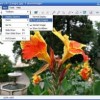
Photobie is popular freeware image editor for Windows.
Photobie is image editing software that combines features amateurs can use with advanced tools professionals will appreciate. Photobie is free for personal use with no Pro upgrade to pay for — all features are free. Photobie is also a community of people.
Photobie is built upon .NET framework 2. It has all general photo editing and painting features. It is a perfect screen capture tool for you to do screen capture and editing in one place. It is also a perfect digital scrapbooking tool that allows you to apply embellishment, masking and templating easily and efficiently. And it is a perfect animation tool that allows you to create GIF animation efficiently. It supports many embedded filters as well as Photoshop free 8bf filters. It supports user customized brushes, textures, masks and regions
Download: Photobie 7.1 | Screenshots

TwistedBrush Digital Painting and Photo Editing
Whether you choose TwistedBrush Pro Studio or the free TwistedBrush Open Studio edition you’ll be using one of the most versatile and powerful brush engines in existence packaged into an easy to use program. TwistedBrush has more than 5,000 brushes available, along with all the features that artists love to use: layers, realistic media, photo cloning, tracing, masks, particles, filters, script recording, scripts to AVI, drawing tablet support, brush shapes, patterns, textures, integrated scanner support, image brushes, drawing guides, reference image views, dirty brushes, scratch layer, dynamic palettes and a whole lot more.
TwistedBrush runs on all versions of the Windows operating system and is designed for all realms of digital art including natural media fine art, photo retouching, photo composition, photo cloning to turn your photos into the look of hand painted artwork, mandala art, patterns, manga, even 3D like painting with the incredible blob modeling tools.
The free edition of TwistedBrush with most all the great features of TwistedBrush except for brush editing and with a just handful of very fine brushes with the option to add additional collections of brushes.
Download: TwistedBrush Open Studio Free Edition 16.19

FastPictureViewer is perfect for quick single-image, full-screen chimping across massive amounts of multi-megapixels images, such as those produced by modern top digital cameras, within the viewing comfort of your huge computer display.
FastPictureViewer helps you work faster by taking advantage of the power of your modern multi-core / multi-processor machine and the incredible speed of your latest DirectX graphic accelerator, all working in concert to speed up your digital workflow and viewing experience to unprecedented levels.
How about instant flip to the next image? Instant 1:1 mode switch? Single-click, background copy of your “keepers” to a preset folder of your choice, without disrupting your fast paced viewing? How about seamless multiple-subfolders browsing, in one single continuous sequence? Easy browsing over of tens of thousands of images in nested folders? Instant automatic detection of new images added anywhere to the folder tree, while you browse? Multi-monitor awareness and huge monitor support, with full-screen borderless kiosk mode available at the press of a key? FastPictureViewer does all that in style, with the slickest, most uncluttered user interface you’ve seen in ages. The freeware Home Basic edition can be used freely for personal, non-profit or educational uses.
FastPictureViewer was developed entirely on Windows Vista and tested successfully on Windows Vista (all editions), Windows Server 2008 and Windows 7. The program also runs on Windows XP SP3 (or XP SP2 with a small additional pre-requisite).
Download: FastPictureViewer 1.00 Build 133

SView5 is an Image Viewing and Processing Tool.
SView5 is portable and free.
Requirements: Microsoft Visual C++ 2008 SP1 Redistributable Package and Microsoft .NET Framework 3.5
Works on windows x86 and x64.
Download: SView5 2.83

Share your photos with style
Jalbum makes web albums of your digital images. Jalbum aims to be the easiest to use and most powerful tool in this category – and free!
With Jalbum, no extra software is needed to view the albums, -just your web browser. Unlike “server side” album scripts, Jalbum albums can be served from a plain web server without scripting support. You can also share your albums on CD-ROM.
Jalbum runs on Windows 32bit and 64bit , Mac OS X, Linux and others and speaks 31 languages.
Download: Jalbum 8.7.1

JetPhoto Studio is a personal digital photo management software to transfer, store, organize, edit, print, and share digital photos. JetPhoto provides easy-to-use tools to help user to efficiently organize digital photos with time, location, keyword tags and notes on your desktop computer. A photo calendar, a tags editor, an EXIF reader and a GPS-driven photo locator are provided in JetPhoto Studio. The software can generate beautiful Flash album movies, slide shows, screen savers, wallpaper with picture collages, or make pocket-size photos and send to cell phones. JetPhoto Studio also enables user to easily fix, crop, resize pictures or add watermarks in batches.
To share the photos with your friends and family, JetPhoto Studio is an advanced photo Web publisher, too. Once the photo album is prepared on your desktop computer, by WebSync, only One-Click is needed to upload your album onto your own online photo website with rich and colorful templates and searchable functionality. (JetPhoto Server is needed here, it is also a freeware.)
Edit tags and descriptions for photos/sets on desktop computer, and post all organized pictures onto Flickr just by one-click.
JetPhoto Studio allows users to locate their photos by a very easy procedure with GPS tracking. No need to add any geographical waypoints manually, JetPhoto adopts a patented method to match GPS track logs with the digital photo timestamps. The longitude and latitude location information will be set for each photo automatically. And links all located photos on Google Earth or Google Map.
System Requirements: Windows 2000 / XP / Vista / 7
Download: JetPhoto Studio for Windows 4.7.2

The VSO free image resize software organizes your photos by shrinking their resolution or moving them within your hard drive. VSO Image resizer is the perfect tool for those who store their digital pictures and images on their PC and who want to resize, compress, convert, create copies, import or organize photos.
With this free resize image software, you can create e-mail friendly versions of your images, load them faster, move them easily from folder to folder, change their format, edit large numbers of image files/batch image resize and thus save space on your hard drive.
VSO Image resizer is integrated into the Windows explorer shell, right click on your pictures and start working on your pictures !
Windows 2000/XP/2003/Vista/Windows 7
Download: VSO Image Resizer 3.0.1.76

The Free Photo Manipulator.
The easiest way to mix and manipulate your photos.
FotoMix is a versatile program that allows you to mix and manipulate different pictures, to create a wide variety of images.
Remove, add or alter backgrounds.
Add or remove your loved and not so loved ones from your pictures.
Design eye-catching photo collages, illustrations, wallpapers, CD and DVD covers, and miscellaneous Web graphics.
Create photo montages by combining multiple pictures into a unique heirloom depicting retrospectives of a birth, marriage, anniversary, etc. Anything is possible.
The result is so high in quality that it is almost impossible to tell if the photo has been manipulated.
Once your creations are finished, you can print them, email them to friends or transfer them to T-shirts, mugs, alendars, etc. Make the most out of your photo collection! Play with it. Explore the possibilities. You will love it.
Runs on Microsoft Windows 2000/XP/Vista/Windows 7.
Download: FotoMix 6.0.1

Hornil StylePix, or simply StylePix, is a graphics editing program with a number of advanced features. Stylepix is an acronym for “Style Pictures”. This means your pictures with nice style.
Time saving with intelligent User Interface
Hornil StylePix has intuitive user interface. It is designed to control the selected functions easy and conveniently. Even if you have no experience, you can easily learn how to edit image and retouching your photos. As a result, Hornil StylePix’s intuitive UI reduces your time to work.
High performance and cost-effective
To better speed editing, Hornil StylePix is designed to focus on light and powerful. We are always striving to improve the performance of Hornil StylePix.
Hornil StylePix runs on fewer resources environment such as Net-books and laptop computer or virtual machines(vmware, virtual box, virtual pc and etc.) with full image handling features.
Portable version is also available
Hornil StylePix is a lightweight. A portable version of Hornil StylePix runs from a removable storage device(media) such as a USB flash drive, flash card, or floppy disk.
System Requirements
· Supported Operating Systems: Windows XP/Vista/7/2000/2003 or compatible OS
Download: Hornil StylePix 1.3.1

Blender is a full functional integrated 3D creation software suite. It lets users create high quality 3D graphics, movies and replay real-time, interactive 3D content. Over the last decade, Blender has evolved as an in-house tool for a leading European animation studio. Blender is powerful technology used for creating broadcast quality 3D content.
View the complete list offeatures.
Available for Windows 2000/XP/Vista/7, Mac OS X, Linux, Solaris and FreeBSD under the GNU Public License.
Download: Blender 2.49b | Blender 2.50 Alpha 2

XnView is a utility for viewing and converting graphic files.
Features :
Import about 400 graphic file formats
Export about 50 graphic file formats
Multipage TIFF, Animated GIF, Animated ICO support
IPTC, EXIF
Resize
Copy/Cut/Crop
Adjust brigthness, contrast…
Modify number of colors
Apply filters (blur, average, emboss, …)
Apply effects (lens, wave, …)
Fullscreen mode
Slide show
Picture browser
Batch convert
Thumbnail create
Screen capture
Contact Sheet create
Multi-page file create (TIFF, DCX, LDF)
TWAIN support (Windows only)
Print support (Windows only)
Drag & Drop support (Windows only)
44 languages support (Windows only)
No Adware, No Spyware
XnView is provided as FREEWARE for private non-commercial or educational use (including non-profit organization)
Windows 95/98/NT/2000/ME/XP/Vista/Seven
Download: XnView 1.97.2 | XnView Beta

Scarab Darkroom is a new digital camera raw file converter that supports most DSLR-s from Canon, Nikon, Olympus, Pentax, and Sony. It’s easy to use, lean, and super fast.
Supported cameras:
Canon
EOS 300D/Digital Rebel, EOS 350D/Digital Rebel XT, EOS 400D/Digital Rebel XTi, EOS 450D/XSi,
EOS 500D/T1i, EOS 1000D/XS, EOS 10D, EOS 20D, EOS 30D, EOS 40D, EOS 50D, EOS 5D, EOS 5D Mk II,
EOS 1D, EOS 1D Mk II, EOS 1D Mk II N, EOS 1D Mk III, EOS D30, EOS D60,
Powershot G2, G3, G6, G9, G10, G11, SX1 IS, SX110 IS
Nikon
D3000, D5000, D40, D40X, D50, D60, D70, D70s, D80, D90, D100, D200, D300, D700,
D1, D3, D1H, D2X, D2Xs, D3X, D2H, E5700, E8400, P6000
Olympus
E-1, E-3, E-10, E-20, E-20N, E-20P, E-30, E-300, E-330, E-400, E-410, E-420, E-450, E-500, E-510, E-520,
E-620, E-P1, SP-350, SP-510 UZ, SP-550 UZ, SP-560 UZ, SP-570 UZ,C5050Z, C8080WZ
Pentax
K-7, K10D, K20D, K100D, K100D Super, K200D, K-m/K2000D, *ist D, *ist DL, *ist DL2, *ist DS, *ist DS2
Sony
A100, A200, A230, A300, A330, A350, A380, A700, A900
Panasonic
G1, DMC-L10, DMC-FZ18, DMC-FZ35, DMC-GH1
Samsung
Pro 815
Kodak
Easyshare P880
Download: Scarab Darkroom Beta build 35

Paint.NET is free image editing and photo manipulation software designed to be used on computers that run Windows. It supports layers, unlimited undo, special effects, and a wide variety of useful and powerful tools.
Originally intended as a free replacement for the MS Paint software that comes with Windows, it has grown into a powerful yet simple tool for photo and image editing.
Minimum System
· Windows XP (SP2 or newer), Windows Vista, Windows 7, Windows Server (2003 SP1 or newer)
· Microsoft .NET Framework 3.5 SP1
· 64-bit mode requires a 64-bit CPU and a 64-bit edition of Windows
Download: Paint.NET 3.5.4

Fresh View is a free picture viewer designed to help you organize and view multimedia files (images, audio, and video). It gives you the ability to watch movies, listen to music, and view graphics in a slide show. Image files in a folder can be displayed using a number of views, including a thumbnail view that lets you quickly see what your images are without having to open them.
You can convert graphics from one type to another, print, and even create a HTML album. This easy-to-use software supports 86 different formats.
Download: Fresh View 7.90

Pixia is a famous, powerful, excellent and very user-friendly 2D graphic editor created by a Japanese programmer, Isao Maruoka.
System Requirements
• Windows Me / 98 / 95 / NT 4.0/ 2000 / XP / Vista / 7
This program is a free software. It may be used in any forms, except for sale purpose.
Download: Pixia 4.70e

Wings 3D is a subdivision modeler inspired by Nendo and Mirai from Izware.
It is possible to assign materials, vertex color, UV coordinates and textures, but there will be improvements in those features before Wings goes 1.0.
There is no support in Wings for doing animations.
· Export Formats: Nendo (NDO), 3D Studio (3DS), Wavefront (OBJ), VRML (WRL), Renderware (RWX), FBX (on Windows and Mac OS X), Yafray, Toxic
· Import Formats: Nendo (NDO), 3D Studio (3DS), Wavefront (OBJ), FBX (on Windows and Mac OS X), Adobe Illustrator 8 (AI)
System Requirements
· Windows: Any version; OpenGL required.
· Mac OS X: From 0.98.35: 10.4 (“Tiger”) or higher required. From 0.98.26 (Nov 2004): 10.3 (“Panther”) or higher required. Earlier releases run on 10.2 or higher. There is no Mac OS 9 version.
· Linux: Open GL or Mesa required.
· Other Unix: OpenGL required; you’ll need to build from source.
Download: Wings 3D 1.3.0.1

FastStone Image Viewer is a fast, stable, user-friendly image browser, converter and editor. It has a nice array of features that include image viewing, management, comparison, red-eye removal, emailing, resizing, cropping and color adjustments. Its innovative but intuitive full-screen mode provides quick access to EXIF information, thumbnail browser and major functionalities via hidden toolbars that pop up when your mouse touches the four edges of the screen. Other features include a high quality magnifier and a musical slideshow with 150+ transitional effects, as well as lossless JPEG transitions, drop shadow effects, image annotation, scanner support, histogram and much more. It supports all major graphic formats (BMP, JPEG, JPEG 2000, animated GIF, PNG, PCX, TIFF, WMF, ICO and TGA) and popular digital camera RAW formats (CRW, CR2, NEF, PEF, RAF, MRW, ORF, SRF and DNG).
No Adware No Spyware – 100% Free for Home Users
Download: FastStone Image Viewer 4.0 | FastStone Image Viewer 4.1 Beta 2

TKexe Kalendar is a freeware utility for the creation of photo calendars.
System requirements: Windows NT, 2000, XP, Vista
Download: TKexe Kalender 1.1.0.2

StudioLine Quality at Zero Cost
Add descriptions to your images, send photos per email in just the right size, print high- quality copies, display slide-shows, publish web-galleries, safe-keep your images on CD or DVD… You’ll also enjoy dual-monitor support, smart updates and many of the other award-winning functions of StudioLine Photo Classic. All that – and it’s free.
StudioLine Photo Basic comes with a new user interface, dual-monitor support, increased speed and other technical improvements.
Download: StudioLine Photo Basic 3.60.30.0

Visifire is a set of open source data visualization components – powered by Microsoft® Silverlight™. With Visifire you can create and embed visually stunning animated Silverlight Charts within minutes. Visifire is easy to use and independent of the server side technology. It can be used with ASP, ASP.Net, PHP, JSP, ColdFusion, Ruby on Rails or just simple HTML.
Download: Visifire 3.0.2

PC Image Editoris a free graphics editor with many of the features of a professional product.
You can edit images from a variety of formats; it contains an extremely user-friendly interface enabling you to work intuitively. Along with the usual assortment of file operations such as Copy, Move, Delete, and Rename; adjust colors in photos; apply filters such as Hue, Negative, Colorize, Posterize, Mosaic, Twirl, Emboss; rotations and transformations; Perspective and Skew; blur images; sharpen images; image resizing; setting an image as the desktop wallpaper. Also, it contains enhanced brushes and painting options.
PC Image Editor Features:
· Browse images in thumbnail mode.
· Import and export various graphic formats, including BMP, GIF, JPG, TIFF, PCX, PNG, TGA, J2K, WMF, EMF, and RAS.
· Apply 18 filters such as Blur, Sharp, Add Noise, Diffuse, Mosaic, Twirl, Emboss, and etc.
· Add image effects such as Rotate 90°, 180° and Arbitrary, Flip Horizontal and Vertical, Crop, Perspective, Skew, and etc.
· With 12 adjustment commands such as Auto Levels, Auto Contrast, Brightness, Contrast, Gamma Channel, Hue, Saturation, RGB Channel, Invert, Colorize, Equalize, Threshold, Posterize, and etc.
· Setting an image as the desktop wallpaper.
· Print images with full functionality.
· Also ability to resize images.
· Free update for any new version.
PC Image Editor is provided as FREEWARE for private (non-commercial) or educational (including non-profit organization) use. In these cases, you are granted the right to use and to make an unlimited number of copies of this program. However, for commercial use, it is required to register the software.
Runs under Windows 98, ME, NT, 2000, XP, 2003, Media Center 2005, Vista, Windows 7
Download: PC Image Editor 4.0