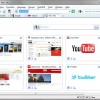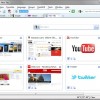
The fastest browser on Earth.
Experience powerful features with a minimalistic design, and speed like you’ve never seen.
Opera is the Web pioneer that delivered tabbed browsing in 2000, Opera adds Full Text History Search allowing you to access find pages you forgot to bookmark by simply typing just a few words into your toolbar! Opera also gives you the ability to Create Search shortcuts from any search field on the Web; and to Synchronize your Bookmarks, Speed Dial with any other Mac or PC computer, your cell phone, or the Opera-powered game consoles through My Opera.
The fastest ever
Our new JavaScript engine is 8x faster than before.
Beautiful design
A minimal design provides maximum browsing space.
Private browsing
Create tabs or windows that leave no trace.
Smart address field
Auto-complete addresses and search faster.
Download: Opera 10.51 for Windows Build 3315 RC3
Download: Opera 10.50 for Mac Build 8291 RC (Universal)
Download: Opera 10.51 for Linux Build 6248 Alpha

ChromePlus has all the functionalities that Google Chrome has. More, ChromePlus added some useful features such as Mouse gesture, Super drag, IE tab, etc. Meanwhile, ChromePlus is free with no function limitation and you can use ChromePlus to surf the internet in any case.
Features:
· Double click tab to close page.
· Mouse Gestures.
· Super drag.
· IE tab.
· Download tools supported in context menu.
· No malware inside.
· Removed Chrome background communications.
· User private data protection.
For Windows XP/2003/Vista/Windows 7.
Download: ChromePlus 1.3.8.1

Maxthon Internet Browser software (Formerly MyIE2), is a powerful tabbed browser with a highly customizable interface. It is based on the Internet Explorer browser engine which means that what works in the IE browser will work the same in Maxthon tabbed browser but with many additional efficient features.
- Tabbed Browsing Interface
- Mouse Gestures
- Super Drag&Drop
- Privacy Protection
- AD Hunter
- RSS Reader
- IE Extensions Support
- External Utility Bar
- Skinning
- And Much More to Explore…
Swap, add, move, remove, and change Maxthon’s tool bars, icons, menus, colors, skins, and layouts until it looks the way you would have designed it.
Don’t like menus? Use hot keys. Don’t like hot keys? Use word aliases. Don’t like aliases? Use toolbars.
Don’t like toolbars? Then use mouse gestures. It’s all up to you.
Think we left something out? Pick from more than 1,400 plug-ins that make Maxthon the do-all of browsers.
The built-in Ad Hunter blocks harmful, or just irritating ads, images and pages.
Filter packs screen out offensive and irritating Web pages, and you decide what’s offensive and irritating.
Maxthon is 100% free of viruses, spyware, adware – any kind of malware and supports Windows 7.
Download: Maxthon 2.5.11.3390
Download: Maxthon 3.0.7.9 Alpha

It renders web pages at lightning speed. It delivers never-before-seen features that make browsing more fun. And it works on the Mac, PC, iPhone, and iPod touch. Meet Safari, the world’s most innovative browser.
At one time, web browsers simply got you to the Internet. But from the day it was released, Safari set the bar higher for web browsers. It introduced sophisticated design elements that made browsing a joy. Easy to use, Safari stayed out of your way and let you effortlessly navigate from site to site.
Apple Safari is designed to emphasize the browsing, not the browser. The browser frame is a single pixel wide. You see a scroll bar only when needed. By default, there’s no status bar. Instead, a progress indicator turns as your page loads. You’ll find tabs at the very top of the browser, opening an even wider window for viewing websites. A great browser, Safari lets you simply enjoy the web — whether you’re exploring it from a Mac, PC, iPhone, or iPod touch.
The first browser to deliver the “real” Internet to a mobile device, Safari renders pages on iPhone and iPod touch just as you see them on your computer. And it’s much more than just a scaled-down, mobile version of the original. Safari takes advantage of the technologies built into these Multi-Touch devices. The page shifts and reformats to fill the window when you turn your iPhone or iPod touch on its side. You zoom in and out just by pinching your fingers. And no matter how you access it, Safari is always blazing fast and easy to use.
Requires: Mac OS X Snow Leopard 10.6.1 or later, Mac OS X Leopard 10.5.8 or Mac OS X Tiger 10.4.11 , Windows XP, Vista or Windows 7.
Download: Safari 4.0.5
Download: Safari 3.2.3

Edskes Software Mozilla Firefox Collection is a utility developed by Edskes Software that contains multiple versions of the free web browser Mozilla Firefox, which are standalone so they can be used at the same time. Mozilla Firefox is a registered trademark of the Mozilla Foundation.
In Edskes Software Mozilla Firefox Collection you can quickly see how your websites look when rendered using different versions of the Gecko render engine. You can specify the filenames or locations (URLs) to open in all installed versions of Mozilla Firefox. Filenames or URLs that include spaces must be enclosed in quotes (“). Multiple filenames or URLs may be used by separating them by spaces. This will result in multiple tabs being opened.
The version number of each included version of Mozilla Firefox can be found in the window title.
Edskes Software Mozilla Firefox Collection also includes the Firebug and Web Developer add-ons for all included versions of Mozilla Firefox. These add-ons provide a variety of tools which make troubleshooting websites much easier.
The user-friendly installation is fully customizable, which means that you can install only those components that you want. You can also make an unattended installation.
Edskes Software Mozilla Firefox Collection fully supports upgrading, so there is no need to uninstall a previous version before installing a newer version: just install the newer version on top of the currently installed version with the same or more components selected.
Specify the parameter -setDefaultBrowser to the installer to make it set Mozilla Firefox as default browser.
Edskes Software Mozilla Firefox Collection is only available in English.
Edskes Software Mozilla Firefox Collection contains the following versions of Mozilla Firefox:
• Mozilla Firefox 2.0.0.20
• Mozilla Firefox 3.0.18.0
• Mozilla Firefox 3.5.8.0
• Mozilla Firefox 3.6.0.0
Edskes Software Mozilla Firefox Collection contains the following add-ons and plug-ins:
• Firebug 1.5.0 add-on
• Web Developer 1.1.8 add-on
• Flash Player 10.0.42.34 plug-in
Edskes Software Mozilla Firefox Collection has the following additional features:
• It can open one or more local files and/or URLs in all installed versions of Mozilla Firefox with a single click
• It can appear in the context menu of Windows Explorer, so a file can be opened in every installed version of Mozilla Firefox directly
• It can display the version number of Mozilla Firefox in the titlebar
• It includes a number of window resizing options for the Web Developer add-on, settings for all common resolutions like 800×600, 1024×768, 1280×1024, 1440×900 and 1600×1200 are included
• It can be installed for all users, so it’s available for everyone
• It can be installed and used silently, it’s possible to create an unattended installation and use all functions using command line parameters
• It even works under the most restricted user accounts after installation, only the installation needs to be done by someone with Administrator privileges
• It supports both 32-bit and 64-bit versions of Microsoft Windows 98, 98 SE, ME, NT 4.0, 2000, XP, 2003, Vista, 2008 and 7
• Note that Mozilla Firefox 3.0 and higher do not support Microsoft Windows 98, 98 SE, ME and NT 4.0
Download: Edskes Software Mozilla Firefox Collection 1.0.0.7

Edskes Software Silent Setup for Mozilla Firefox (A.K.A FirefoxS and EdskesMF) is a small multilingual utility developed by Edskes Software which automatically downloads and installs the latest version of Mozilla Firefox, and then immediately opens one or more websites.
Features:
- It doesn’t ask the user difficult questions, doesn’t show technical information and gives no complicated error messages
- It supports both 32-bit and 64-bit versions (if available) of Microsoft Windows 98, 98 SE, ME, NT, 2000, XP, 2003, Vista, 2008 and Windows 7
- It can be started from Internet Explorer 1.0 through 8.0
- It works even under the most restricted user accounts: if the rights of the user running FirefoxS are not sufficient enough Firefox won’t be installed, but only extracted to a temporary directory. Because FirefoxS opens the website(s) directly, the user won’t notice the difference
- It can open the website(s) immediately in the desired language
Download: Edskes Software Silent Setup for Mozilla Firefox 1.0.1.2

Comodo Dragon Browser is a fast and versatile Internet Browser based on Chromium, infused with Comodo’s unparalleled level of Security!
Features
• Improved Privacy over Chromium
• Easy SSL Certificate Identification
• Fast Website Access
• Greater Stability and Less Memory Bloat
• Incognito Mode Stops Cookies, Improves Privacy
• Very easy to switch from your Browser to the Dragon
System Requirements: 32-bit Windows 7 / Vista / XP.
Download: Comodo Dragon Internet Browser 1.0.0.10

K-Meleon is an extremely fast, customizable, lightweight web browser based on the Gecko layout engine developed by Mozilla which is also used by Firefox. K-Meleon is free, open source software released under the GNU General Public License and is designed specifically for Microsoft Windows (Win32) operating systems.
Download: K-Meleon 1.5.4 | K-Meleon Beta

Opera 10.50 Web browser The fastest browser on Earth
Surf the Web with lightning speed, using the fastest browser ever. Check out the elegant, new design and many other improvements in Opera 10.50.
Opera is the Web pioneer that delivered tabbed browsing in 2000, with features such as tabbed browsing, Speed Dial, customized search, Opera Mail.
With a surprising array of new features, a fresh look and feel, and enhanced speed and performance discover a better way to enjoy the Web.
The fastest ever
Our new JavaScript engine is up to 7x faster.
Private browsing
Choose between private tabs and windows that leave no trace.
Top security
Stay protected from dangerous or insecure sites.
Desktop widgets
Use hundreds of Opera Widgets as standalone applications.
Optimized for Windows
Take advantage of Windows’s new features and look-and-feel.
Next-generation engine
With Opera Presto 2.5, Carakan and Vega, get the fastest and most advanced browsing technologies.
Opera Turbo
Boost your speed with our powerful servers to compress Web pages, so you get them faster.
Visual tabs
Drag the handle underneath the tabs to reveal thumbnails of your open Web pages.
For Windows, Mac OS, Linux, BSD, Solaris…
Download: Opera 10.10
Download: Opera 10.50 for Windows

Element Browser – Your Web. Your Way.
Element Browser is a stylistic, modern and powerful web browser for Windows. It features unmatched security, an intuitive user interface and great features. Based on the ElementKit web engine, it is one browser that you cannot do without.
Element Browser supports Mobiles and Macs too!
Requirements: Windows XP Service Pack 2 or higher, Mac OS X 10.3 or higher, Ubuntu Linux or Debian variants, Windows Mobile 5 or higher.
Download: Element Browser 3.0.0.5 for Windows
Download: Element Browser for other systems

World’s First Triple-Engine Web Browser
Lunascape is a cutting-edge yet versatile web browser that combines the best of all major browsers into one. It has been downloaded over 10 million times in our home base Japan, and we are rapidly growing users all over the world since the launch of multilingual versions. It is fast, stable, and flexible. We will take your internet experience to a whole new level.
Lunascape is the world’s only triple engine browser. What this means is that you can have the best features, performance, and speed of Windows Internet Explorer, Mozilla Firefox, Google Chrome, and Apple Safari all in one browser and can view any website in an optimal way without a need to open another browser.
On top of that, our proprietary technology realizes one of the fastest browsing speed and provides you with full of features and customizable options. Your internet experience is a lot better with Lunascape.Experience it yourself, the whole new speed and versatility.
Compatible Operating Systems: Windows 2000/XP/Vista/Server2003/Server2008/7.
Download: Lunascape 6.0.3

Slim Browser is a tabbed multiple-site browser. It incorporates a large collection of powerful features like built-in popup killer, skinned window frame, form filler, site group, quick-search, auto login, hidden sites, built-in commands and scripting, online translation, script error suppression, blacklist / whitelist filtering, URL Alias. It brings you convenient and comfortable browsing.
All features
· Multiple site browser based on tab-page interface
· Seamless integration with AI RoboForm FormFiller/Password Manager
· Built-in Popup Killer based on intelligent identification and pre-defined filtering
· Site windows killed by mistake are FULLY RECOVERABLE
· Ability to turn on/off Flash Animation
· Built-in web form spell checker.
· Universal URL Filter: Block ad banners, flash animations, iframes or any components within any web pages by URL patterns.
· Built-in RSS News Rendering Engine. Now you can read RSS news directly inside SlimBrowser without additional RSS Reader software.
· ActiveX Filter: block obtrusive dialogs prompting you to install unsafe ActiveX controls.
· Convenient access to major search engines by Quick-Search Bar
· Seamless integration of most Internet Explorer toolbars
· ScriptPad: Built-in VBScript/Jscript/HTML/Text editor. View screenshot.
· Hidden Sites : hide and show a site at users’ request
· Skinned window frame.
· Free-zooming of any web page.
· AutoLogin: automatically connect and log into specified website with just one click.
· Seamless integration with online translation engine and dictionaries
· Ability to suppress script error message dialog
· Site Group: Open and save a collection of sites as a group
· Flexible control of startup actions
· URL Alias: Type short alias instead long URL.
Download: SlimBrowser 4.12 Build 024

Convert your bookmarks between different formats quickly and easily!
Transmute is a bookmark converter that can import and export bookmarks, or favorites, between the latest web browsers such as Google Chrome, Mozilla Firefox, Microsoft Internet Explorer, Opera, Apple Safari and Chromium. And best of all, it’s free!
A Portable package is provided as a convenience for users who want to utilize Transmute from a USB Drive. The software can be unzipped and then run. When running in Portable mode Transmute stores its setting to the application directory to avoid altering the host PC.
Download: Transmute 2.03

Mozilla SeaMonkey is a Web-browser, advanced e-mail and newsgroup client, IRC chat client, and HTML editor — all your Internet needs in one application.
Tabbed browsing gives you a better way to surf the net. You no longer have to open one page at a time. With tabbed browsing, open several pages at once with one click. And now your homepage can be multiple tabbed pages.
Popup blocker lets you surf the web without intrusion. Advanced popup blocker notifies you when popups are blocked. You can also block pop-ups on a site per site basis.
Image Manager lets you block images to block offensive images or to speed up the rendering of web sites.
Find as you type gives you another way to navigate a page. Just start typing to jump from link to link or to find a word or phrase within a page.
Plus all the features a modern browser should have including: Advanced security settings; Password, Download, and Cookie managers; Themes; multi-language and multi-platform support; and, the latest in Web Standards.
Operating system: Windows, Mac OS X and Linux
Download: Mozilla SeaMonkey 2.0.3

Lataza Browser – From the Spanish word “La taza” meaning “The cup” has cool and unique functions like customization of its skin color, saturation and contrast, task manager, CPU Optimization, Anti-Freeze and many other functions. Grab and see the difference where speed matters!
Lataza Browser Features:
Resource Usage Control
With advanced Mixed Process Mode, Memory usage will not remains very high after a long period of time.
Anti-Crash, Anti-Freezing
The excellent framework that separates the web page and ui window. It can drastically avoid the freezing or crash because of the problem web pages.
A High Speed
The intelligent function of Performance Optimize can reduce both CPU usage and memory usage significantly, which makes your Lataza Browser runs with a higher speed.
Private Browsing
From now on, don’t be afraid that web pages you browsed will be seen by other people.
Skin & Color Changes
You can change personalized skins freely. moreover you can change the color of Lataza Browser as you wish. or download The World Skins for an additional skins.
Enhanced Download
Enhanced downloader is tiny and practical. It supports functions such as multi-session and resumable download. it`s a good helper for surfing the web.
More Considerate Functions
With considerate functions such as Webpage Mute, Smart Address Bar, Suggestion of Search Bar, you can surf the web more conveniently and easily.
Download: Lataza Browser 4.0 Alpha

Qt Web Internet Browser – compact, portable and secure alternative web browser
QtWeb is compact, portable and secure web browser having some unique UI and privacy features. QtWeb is an open source project based on Nokia’s Qt framework (former Trolltech) and Apple’s WebKit rendering engine (the same as being used in Apple Safari and Google Chrome).
Major Features
Customizable User Interface
Change Application Style on the fly, and see how the program and websites look under different versions of Windows and Unix environment
Move Navigation Bar and Bookmarks Bar anywhere within a mainframe, or even undock and place them on the Desktop
Customize web search providers, menu titles, assign hot keys and your favorite shortcuts to any menu commands
Show/Hide toolbar buttons and toolbars themselves (Menu Bar, Navigation Bar, Status Bar, Bookmarks Bar, Tab Bar)
Tabbed browsing by default. User Interface can be switched to non-tabbed
Privacy and Security features
Turn on Private Browsing mode to avoid leaving traces of browsing, even UserAgent which is being sent to the web server is masked
Easy access to most privacy functions via toolbar buttons, Privacy menu and customizable keyboard shortcuts
Supported SSL to access secure sites. Certificate information and certification path can be displayed
Full Reset feature – clears all caches and restores all local settings to the state just after installation, as it was never run on the machine
Lightweight, fast and portable browser
Size of executable is 4 MB only, no additional DLLs and other configuration files required
In most cases you just need one file – QtWeb.exe, that can be copied and run even from USB or CD/DVD
Scripting support allows any web page (including JavaScripted ones) to be loaded and dumped into a file from a command line
Can be run in limited Windows environment (Win PE), like Active@ Boot Disk, or BartPE running from CD/DVD/USB
It is free, open source software, distributed under GNU public license.
Supported Operating Systems
- Windows 2000
- Windows XP
- Windows Vista
- Windows 2003 Server
- Windows 2008 Server
- Windows 7
Download: QtWeb Internet Browser 3.3

Avant Browser is a multi-window (tabbed) browser based on the Internet Explorer core. It allows you to browse multiple Web sites simultaneously, block popup windows, block Flash advertising, and offers additional mouse functions for faster navigation. Additional features include an integrated privacy cleaner that helps to remove surfing tracks, a built-in Google search engine enables user to search for web pages and images in Internet, 2 modes of full screen browsing and much more. Avant Browser also provides options to easily block downloads of pictures, videos, sounds and ActiveX components to further speed up page loading times. All your IE settings and Favorites are available from within Avant Browser.
Avant Browser is 100% Free! No limitations. No Adware. No Spyware.
Download: Avant Browser 11.7 Build 46

GreenBrowser is your best choice of easy and powerful web browse software!
GreenBrowser is an IE based browser that offers tabbed, multi-page browsing and many additional features as:
AD Filter, Mouse Gesture, Mouse Drag, Auto Fill Form, Auto Scroll, Auto Refresh, Auto Save, Auto Hide, Search Bar, External Toolbar, Collector, Page Manager, Download Manager, Group, Plugin, Skin, Proxy, Start Mode, URL Alias, Quick Key, Link List, Status Bar Setting, Sort Save Page, Clean System, Page Download Control, Page Zoom, Page Background Color…
GreenBrowser is free to download and use.
Download: GreenBrowser 5.3.0203

Pale Moon – Custom-built and optimized Firefox browsers for Windows Operating Systems.
Why settle for a basic build of your Firefox browser on Windows Operating Systems when you can have one that performs 25% faster? Mozilla does not provide optimized browser packages for Windows, while many Linux (“from scratch”) users get the advantage of a browser built specifically for their system. That needs to change! So, here is the Pale Moon project: Custom-built and optimized Firefox browsers for Windows Operating Systems. Make sure to get the most speed out of your browser!
Of course, getting a faster browser is not just about optimizing the compilation process (building a program from its source code), but also about carefully choosing features and how to choose the best setup. This means that this browser, however extremely close to Firefox, does not have all the functions that Firefox has. A few, carefully selected, features have been disabled that are not in high demand, and that do not interfere with the way web pages are displayed or function; all to maximize speed and efficiency of the browser. Please see the page with technical details to learn exactly what the browser supports, and what it doesn’t support. In short, if you need accessibility features or parental controls, then please visit the firefox homepage and get the official, non-optimized build.
Main features:
Highly optimized for current processors
100% Firefox sourced: As safe as the browser that has seen years of development.
Uses slightly less memory because of disabled redundant and optional code
Significant speed increases for page drawing and script processing
Support for SVG and Canvas
Support for Firefox extensions, themes and personas
System Requirements:
Windows 2000/XP/2003/Vista/Seven, 32-bit or 64-bit (64-bit O.S.es are not natively supported, but the browser will run fine on them).
Download: Pale Moon 3.6.0.1

Sleipnir is a Japanese tabbed web browser, released by Fenrir and Co. The browser is known for its high level of user customization. Although the download site for this version is written in Japanese, the installer and browser itself are written in English.
Sleipnir is portable. Compatible with Windows 7.
Download: Sleipnir 2.9.3

X-Firefox is a portable version of Firefox® (registered trademark of the Mozilla Foundation) made portable by winPenPack.
Download: X-Firefox 3.6 rev14 (english version)
Download: X-Firefox 2.0.0.20 (english version)